
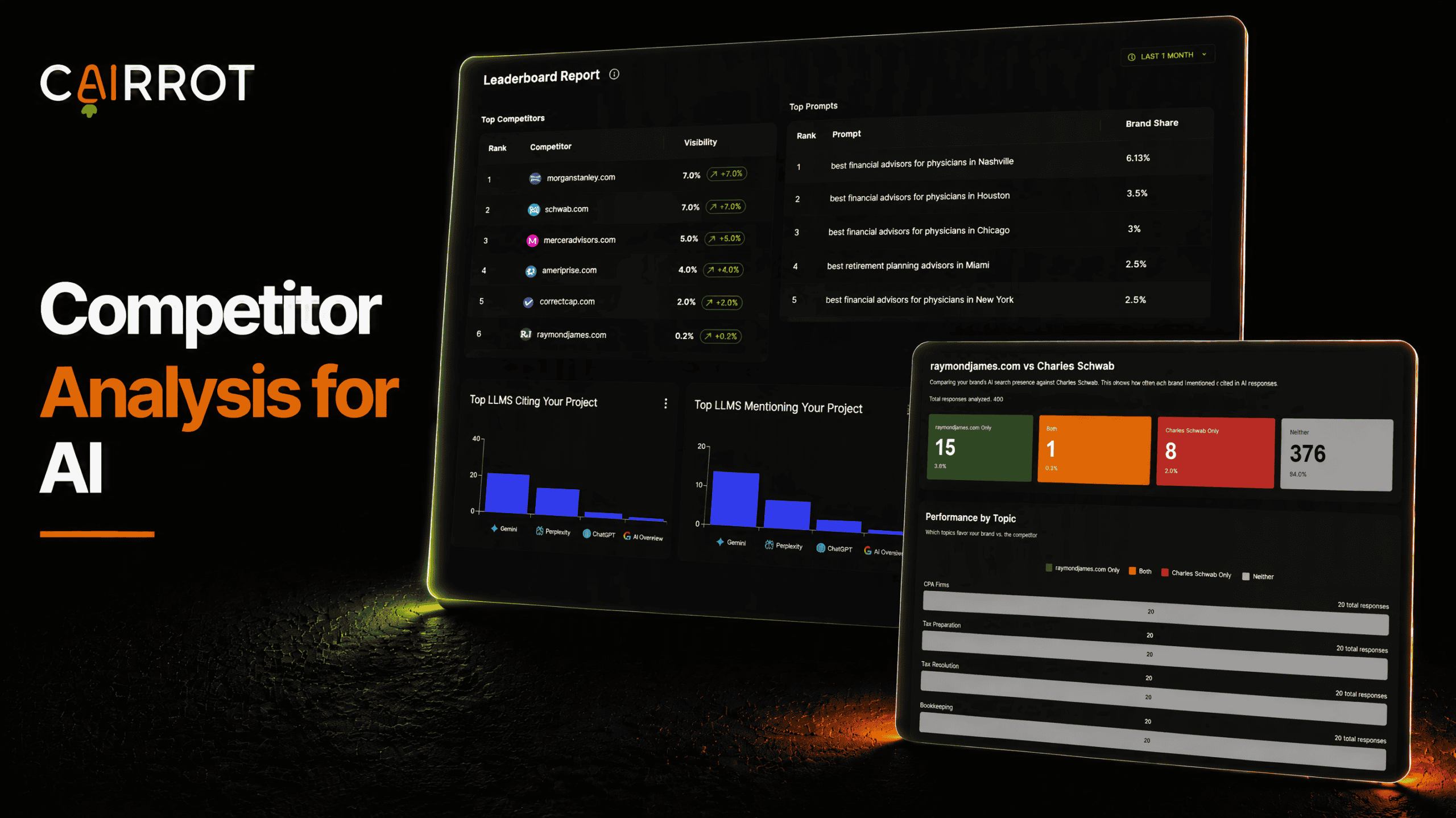
What is competitor analysis for AI and how does it work?
Competitor analysis for AI tracks who the models recommend when they answer questions in your market. An AI competitor analysis tool scores every response for which brands appear, then stacks your results against each competitor you track across ChatGPT, Claude, Gemini, Perplexity, Grok, and DeepSeek. You get their AI visibility, their sentiment, their share of voice by topic, and the exact prompts where they’re beating you, which is what turns a ranking into something you can act on.
Best practices:
- Track the competitors AI actually names
- See which prompts are recommending you or your competitor
- Find unclaimed topics in your niche to dominate
Tracking competitors and their AI visibility
Head to Competitors in your dashboard. Every competitor you track is listed with their domain, overall sentiment, and AI readiness. Expanding a row shows their sentiment radar, the key phrases AI uses to describe them grouped by positive and neutral, and shortcuts to head to head, sentiment analysis, citations, and mentions.
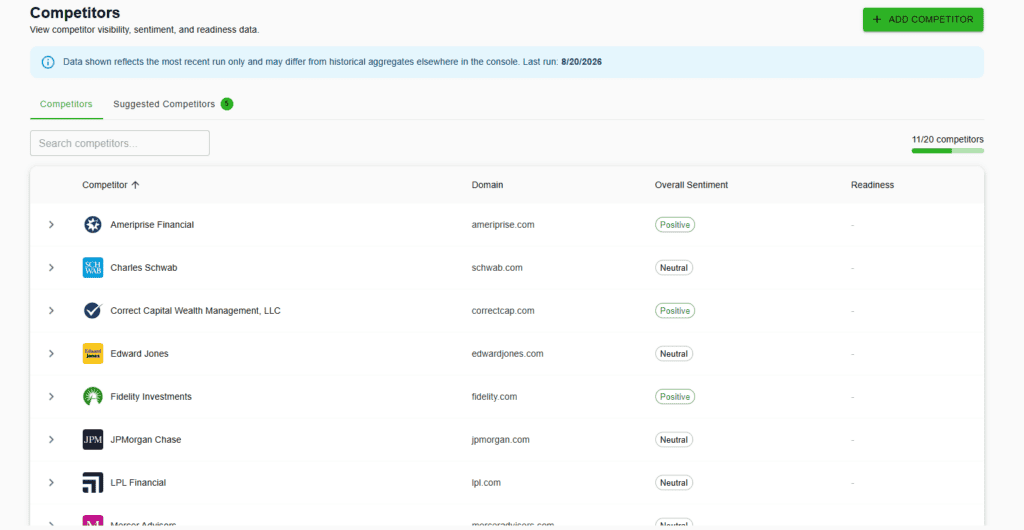
Detect new competitors automatically
The Suggested Competitors tab lists brands that appear in the same AI answers as you, each with a confidence score and the number of citations behind it. Add them in one click or dismiss them.
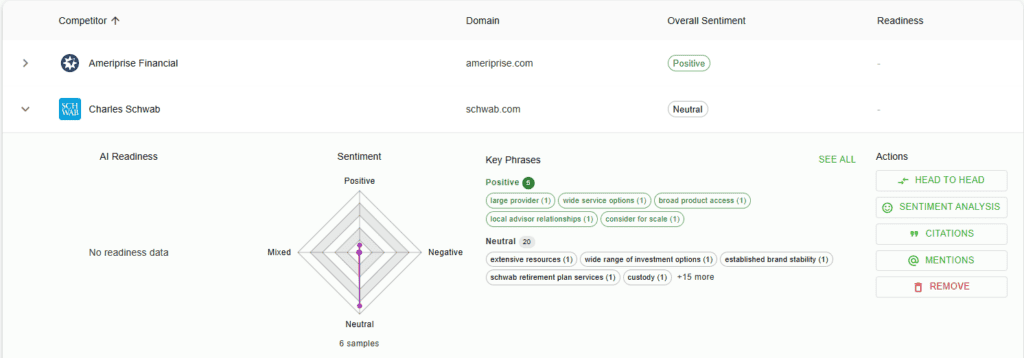
Go head to head
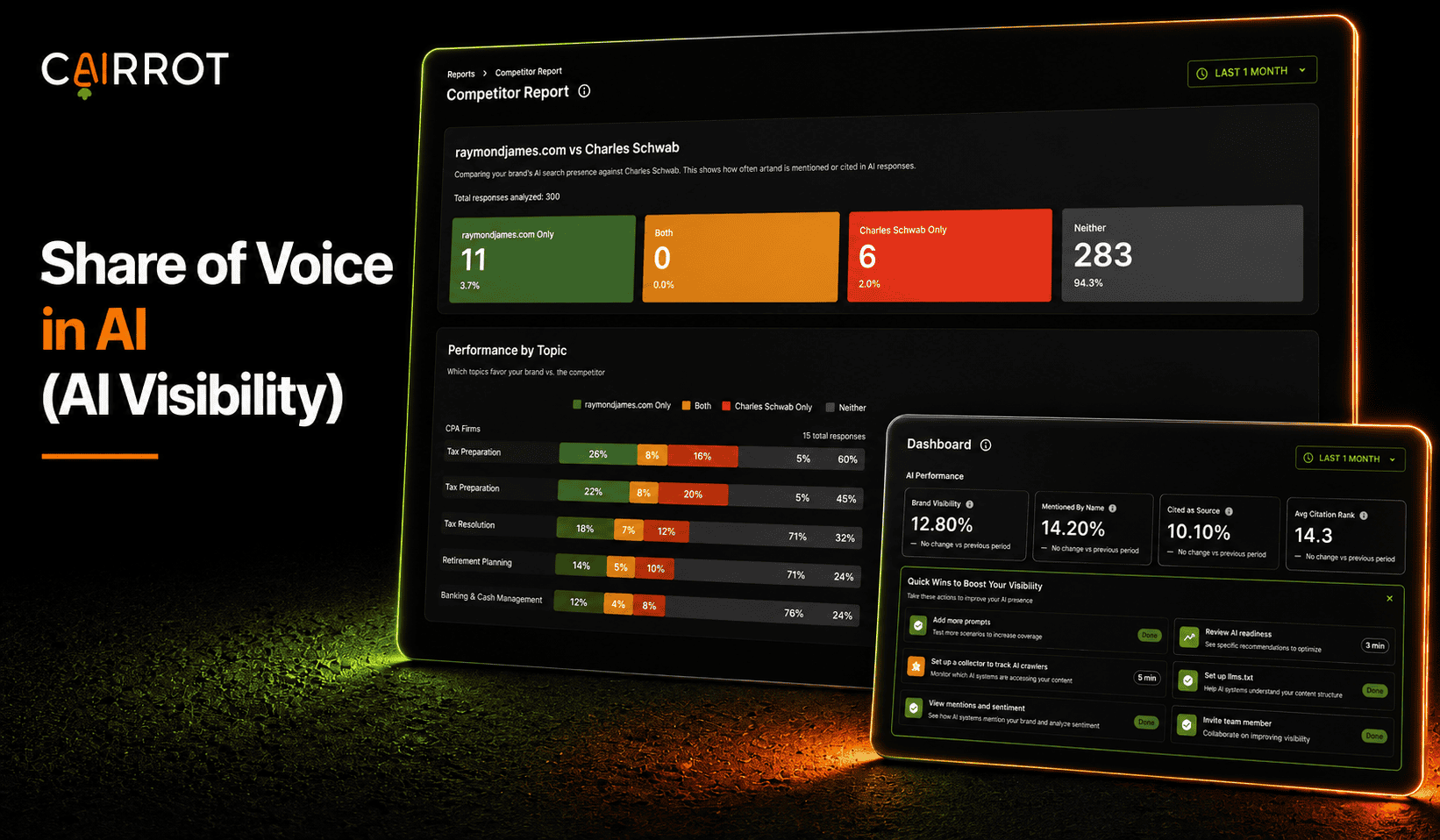
Open any competitor and hit Head to Head. Cairrot analyzes every response where either brand could have appeared and splits it four ways: you only, both, them only, neither. Below that it breaks the same data down by topic and by individual prompt.
raymondjames.com vs Charles Schwab
Comparing your brand’s AI search presence against Charles Schwab. This shows how often each brand is mentioned or cited in AI responses.
Total responses analyzed: 400

When either brand appears
Of the responses that mention anyone, here’s the split.
Performance by Topic
Which topics favor your brand vs. the competitor
Hover a card, a legend color, or a bar to highlight it everywhere. Click to lock it on.
See the full ranking
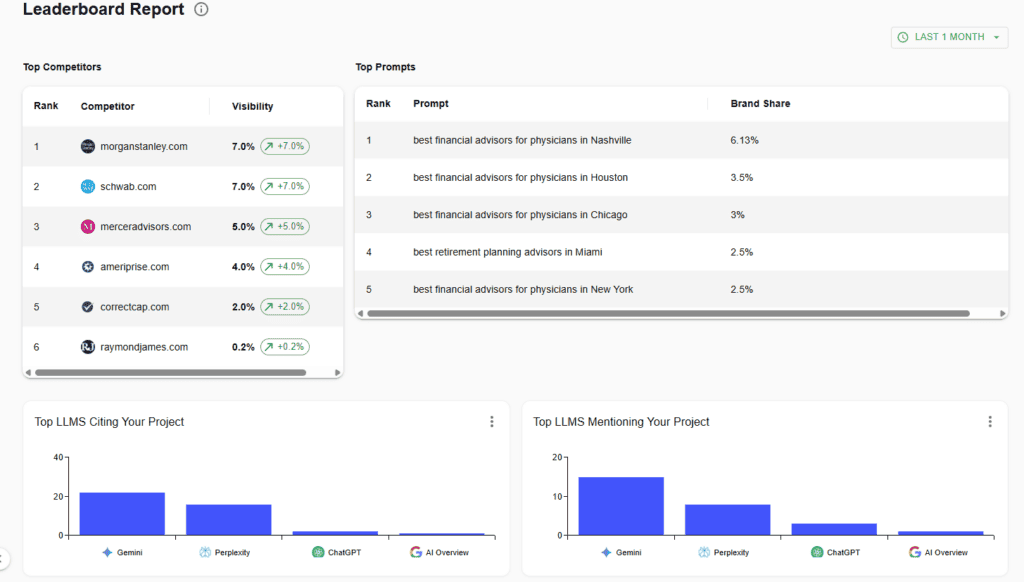
The Leaderboard Report ranks every competitor you track by visibility, with trend arrows showing who’s gaining and who’s slipping. It also shows your top prompts by brand share and which LLMs cite and mention you most.
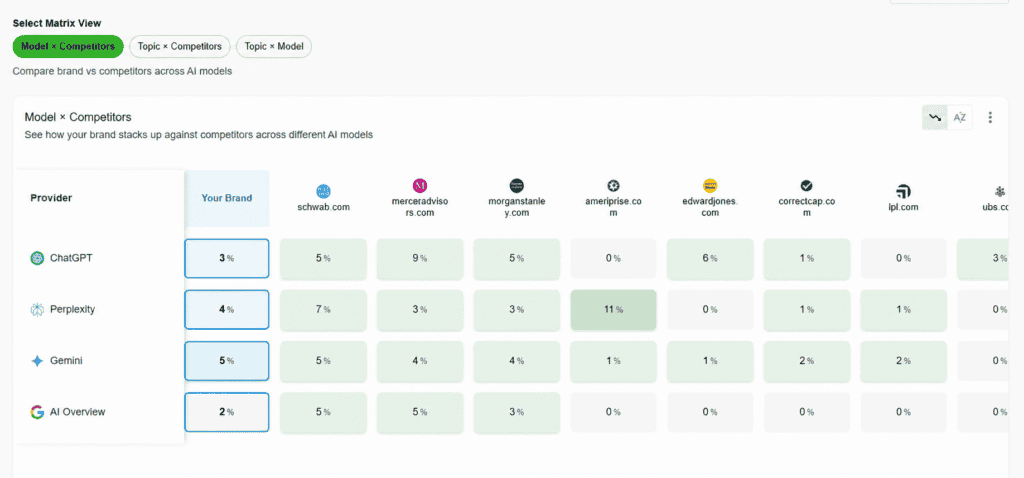
Compare across every model
The Heatmap Report puts your brand and every competitor in one matrix. Model x Competitors compares performance across ChatGPT, Perplexity, Gemini, and AI Overviews, with Topic x Competitors and Topic x Model views for slicing it the other way.
AI Share of Voice
See how often AI mentions or cites your brand. Measure your visibility against competitors, compare topics, and track your share of the conversation over time.
Learn More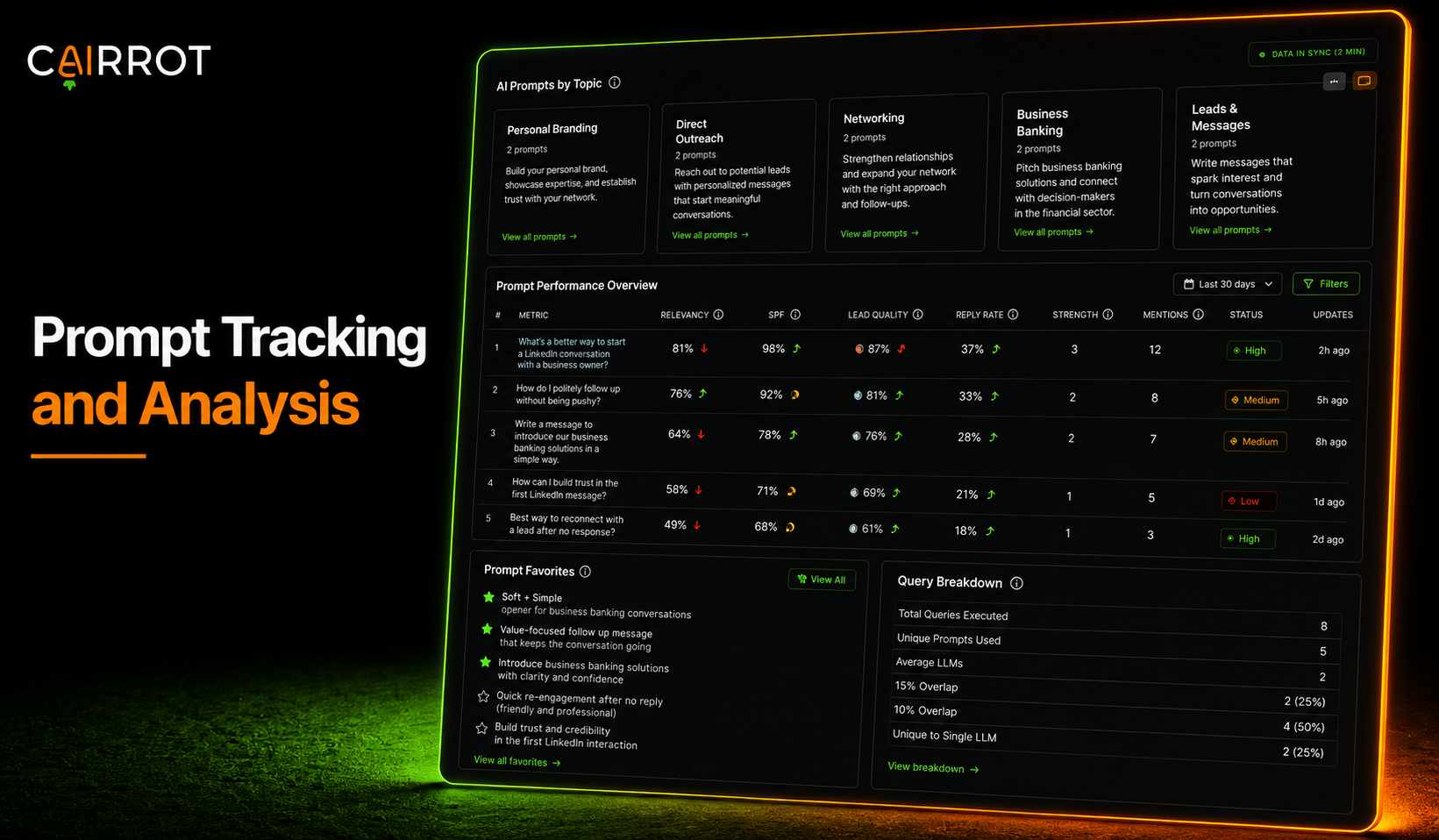
AI Prompt Tracking
Track the questions your customers ask AI. See which answers mention or cite your brand, compare results across models, and monitor how you perform against competitors.
Learn More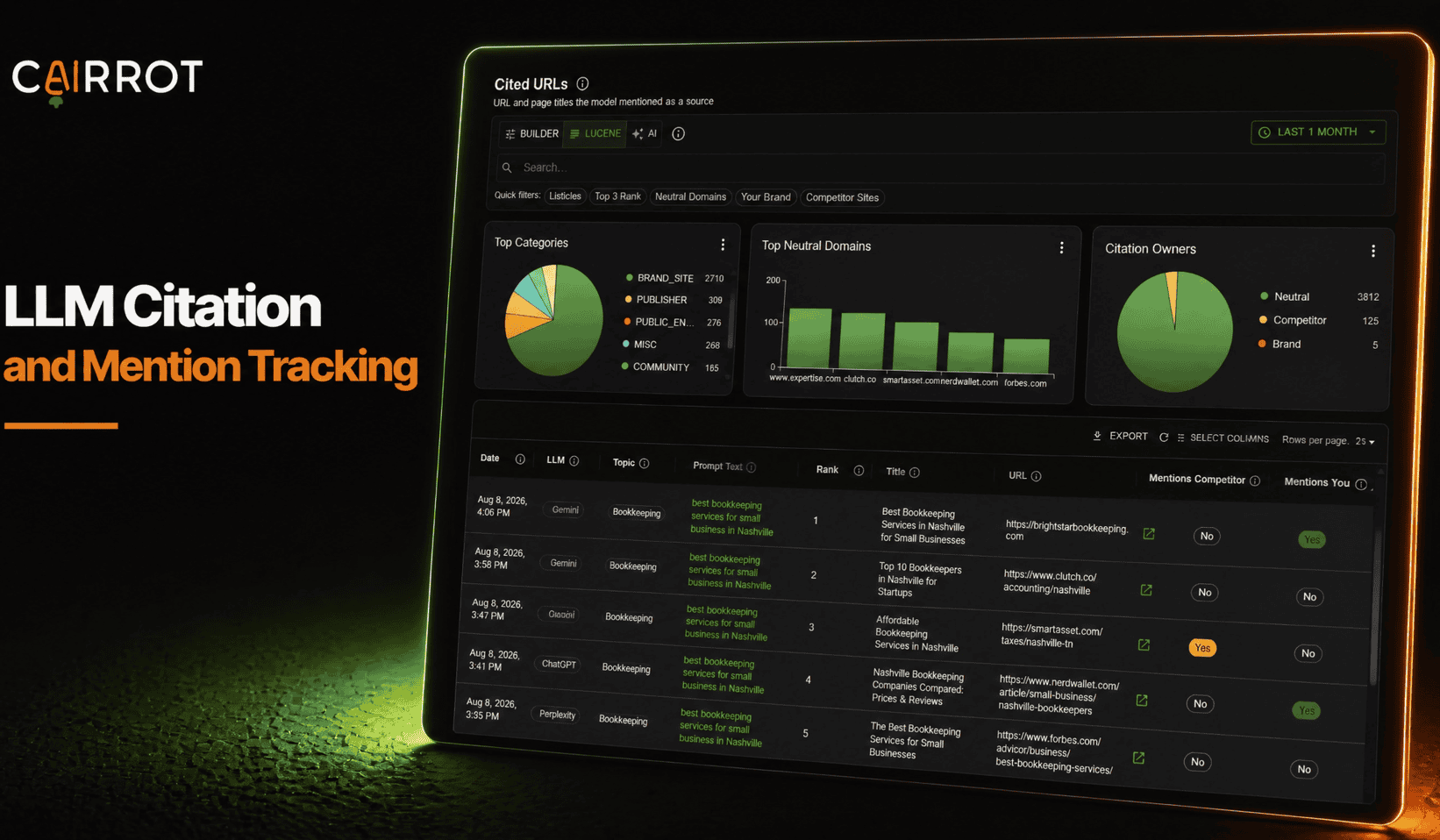
Citation & Mention Tracking
Know when AI names your brand and which pages it cites. Track mentions, source links, and sentiment to understand how AI talks about your business.
Learn MoreFAQ
Is competitor analysis included in every Cairrot plan?
Yes, every paid Cairrot plan includes competitor tracking, head to head reports, the leaderboard, and the competitor heatmap.
How many competitors can I track?
Up to 20 per project.
How do I add a competitor
Add Competitor takes a name and a domain, or you can add one directly from the Suggested Competitors tab.
How does competitor analysis relate to share of voice?
Share of voice is the score; competitor analysis is the diagnosis. Share of voice tells you what percentage of the conversation you own, and competitor analysis tells you which specific brands and topics are taking the rest. Both are part of answer engine optimization (AEO).
Competitor Analysis for AI
Track the competitors AI actually names, go head to head on the prompts that matter, and find the topics they own. It’s included in every paid Cairrot plan, and you can start with a free AEO report.