
Yes, Google Search Console now has a report for AI Overviews. As of August 31, 2026, Google had rolled out generative AI performance insights to all websites worldwide. The Search report covers AI Overviews and AI Mode together, and Discover has its own separate report. It tells you which pages earned impressions in those features. It does not tell you which queries triggered them, how many clicks followed, or which passage was cited.
That split between what you get and what you still need is the whole story. This guide walks through where the data lives, how to read it, what is missing, and how to build a repeatable routine around it.
TL;DR
- Search Console’s generative AI performance report tracks impressions in AI Overviews and AI Mode, grouped by page, country, date, and device. Discover is reported separately.
- The report is impression-only. It leaves out queries, clicks, CTR, average position, citation placement, the passage used, and conversion or revenue data.
- Export AI-visible URLs, compare them with conventional organic metrics, and watch trends over weeks, not days.
- Search Console covers Google only. Teams that report on ChatGPT, Gemini, Claude, Perplexity, Grok, and DeepSeek need a layer on top.
- The Search generative AI control is a property-level setting, and opting out removes your site from these features.
Table of Contents
- Does Search Console have an AI Overviews report?
- What data the report gives you
- What the report leaves out
- A step-by-step routine for tracking AI Overview visibility
- Why Search Console alone is not enough
- How to use the data to guide content work
- The generative AI control: a setting to understand
- Perspective: Search Console is the floor, not the ceiling
- Where Cairrot fits
- Building a client-ready report from this data
- Common mistakes to avoid
- FAQ
- Sources
Does Search Console have an AI Overviews report?
It does. Google describes it as the Generative AI performance report for Search, and it reports impressions from generative AI features in Google Search, namely AI Overviews and AI Mode. Discover has a separate report for AI features there.
One practical catch: if your property has not yet received enough impressions within these features, the report may not appear or may show no data. A small or new site seeing an empty view is not necessarily doing something wrong. It may simply be below the threshold.
If you manage many client properties, check each one. Some will show data and others will not, and your reporting template needs to handle both cases without confusion.
What data the report gives you
The report groups impressions along four dimensions. Google’s documentation says data can be grouped by pages, countries, dates, and devices. Pages are the final linked URLs, and most performance data is assigned to canonical URLs.
Here is what each dimension is good for:
| Dimension | What you can learn | Typical use |
|---|---|---|
| Pages | Which URLs appear in AI features | Build an inventory of AI-visible content |
| Countries | Where those impressions occur | Spot markets where AI features surface you most |
| Devices | Mobile versus desktop split | Check whether AI exposure skews to one device |
| Dates | How impressions move over time | Track trends and tie them to content changes |
The canonical URL detail matters. If your site has duplicate or parameterized versions of a page, expect the numbers to roll up to the canonical. Compare like with like when you line this report up against your standard Performance data.
What the report leaves out
This is where most teams get tripped up. According to a Search Engine Journal walkthrough of the new data, the report excludes:
- Queries
- Clicks and CTR
- Average position
- Citation placement
- The passage that was used
- Conversion or revenue data
Barry Schwartz of Search Engine Land describes the report as a real step for transparency, while noting that the impression-only design shows Google is still reluctant to share click-through numbers from AI experiences.
So what can you honestly say from this report? You can say a page was shown in an AI feature. You cannot say how many people clicked it, what they searched, or whether the visit turned into revenue. Write that distinction into every client report, because an impression count presented as traffic will be challenged the first time someone checks GA4.
A step-by-step routine for tracking AI Overview visibility
The goal is a workflow you can repeat monthly, one that survives staff changes and gives the same answer twice. This follows the approach recommended in the Search Engine Journal guidance: export AI-visible URLs, compare them with conventional organic metrics, and investigate outliers.
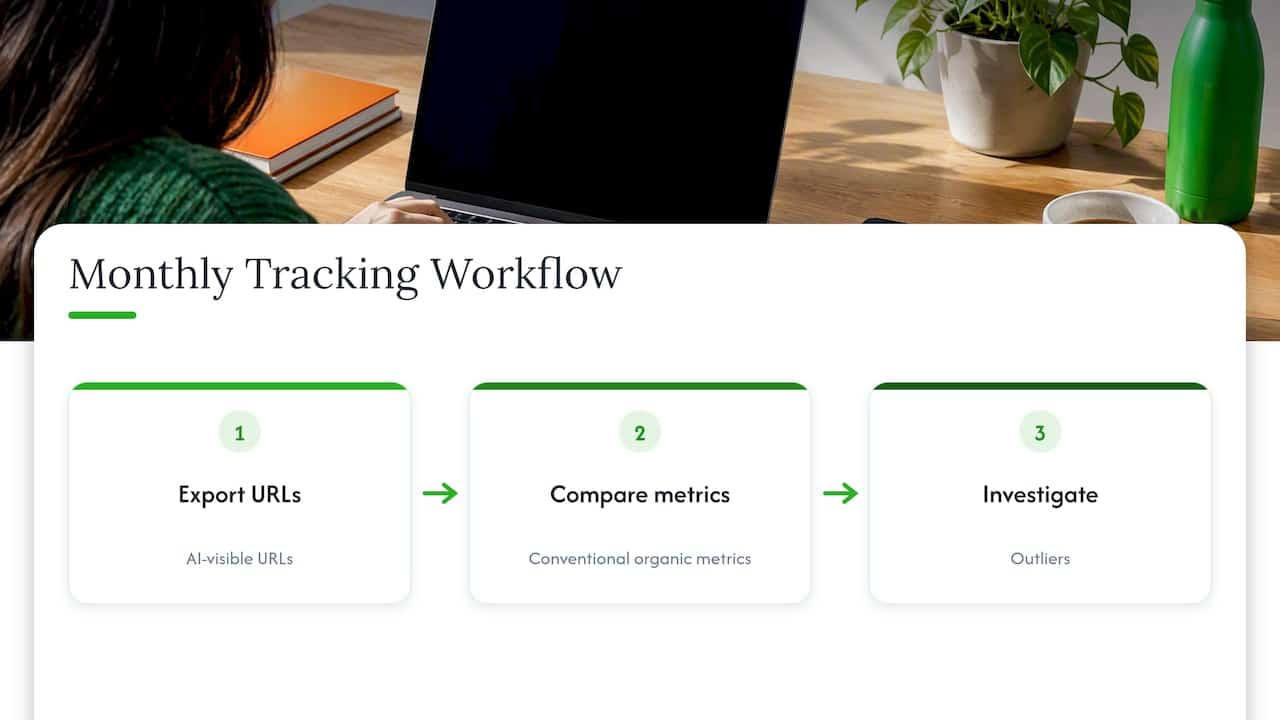
Step 1: Export a meaningful date range
Pull the AI-visible URL list for a window long enough to smooth out noise. Daily swings in AI features are normal, so track trends across multiple weeks or months rather than reacting to a single day.
Step 2: Set it beside conventional search data
Export the same pages from the standard Performance report. Now you have two columns: how often the page appears in AI features, and how it performs in classic results. Google’s branded queries filter, announced on November 20, 2025, helps here. It separates branded from non-branded queries in the Search results Performance report, so brand demand does not muddy your read of conventional performance.
Step 3: Hunt for outliers
Look for pages that overperform or underperform in AI features relative to their organic strength. A page with modest organic traffic but heavy AI impressions may have a clear, extractable answer. A page that ranks well but barely appears in AI features may bury its key point.
Step 4: Tie content changes to the trend line
When you revise a page substantially, log the date. Then monitor whether the change lines up with a sustained shift in AI visibility, not a one-week blip. Heather Campbell of Search Engine Journal argues that proving AI search efficacy takes controlled experiments, such as changing page content and measuring the effect on citation frequency. Search Console gives you the impression side of that experiment. It cannot give you the citation side.
Step 5: Estimate the click impact with cohorts
Because Search Console provides no direct AI click attribution, Helen Pollitt suggests comparing cohorts of keywords that trigger AI Overviews against those that do not, then watching for shifts in click-through rate. It is an inference, not a measurement, so label it that way in your reports.
Why Search Console alone is not enough
Three gaps show up quickly in practice.
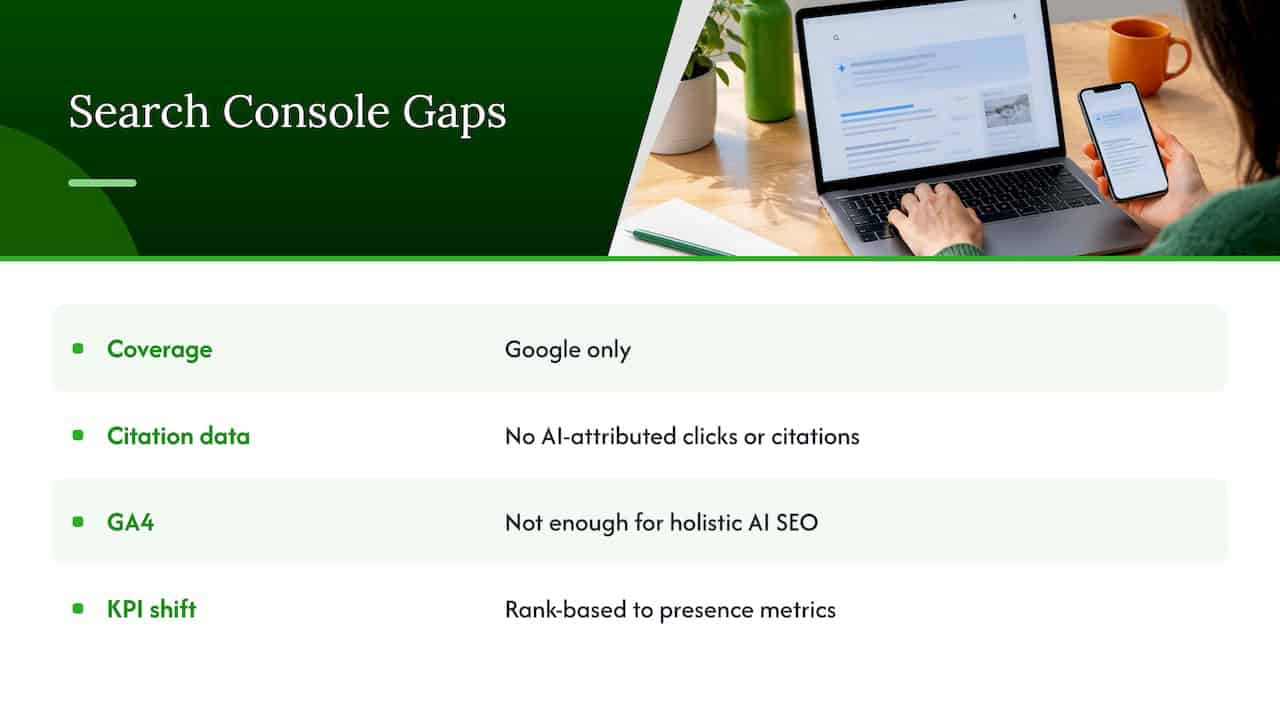
It covers Google only. Your audience also asks ChatGPT, Gemini, Claude, Perplexity, Grok, and DeepSeek. None of that appears in Search Console.
It has no citation data. The lack of AI-attributed click data and citation tracking makes it hard to gauge the exact effect of AI Overviews, which is why Search Engine Land points teams to third-party tools for a fuller view.
GA4 does not fill the hole. Jes Scholz warns that GA4 and standard Search Console reporting are not enough for a holistic view of AI SEO. Her advice is to fold in referral data from the various AI platforms too.
The broader shift is a change in what you measure. Carolyn Shelby of Search Engine Land describes a move away from rank-based KPIs toward presence metrics such as earned citations and knowledge graph entries. If you are rebuilding your scorecard around that idea, presence-based metrics in AI search are a useful frame for deciding what to keep from the old report and what to retire.
For larger organizations, the question is also organizational: who owns the number, and how do regional teams see the same data? A solid enterprise AI search visibility strategy starts with agreeing on the measurement limits above before setting targets.
How to use the data to guide content work
Google’s own advice has not changed in spirit. Its Search Central team says standard best practices, such as high-quality, original content, remain the core strategy for generative AI experiences. Search Console tells you where to apply that advice.
A workable prioritization looks like this:
- Protect the winners. Pages with steady AI impressions deserve a review cycle. Keep facts current and avoid rewrites that strip out the clear answers that likely earned the exposure.
- Lift the strong-but-invisible. Pages with healthy organic performance and little AI presence are your best candidates. Tighten the opening answer, add structured sections, and make claims specific and sourced.
- Question the odd ones. An unexpected page showing heavily in AI features can reveal what Google considers extractable on your site. Learn from it and repeat the pattern.
- Measure after changes. Compare several weeks before and after, and note what else changed, such as seasonality or a site migration.
For a deeper look at structuring pages so answer engines can use them, see our guide to AI SEO best practices and the failures that block citations.
The generative AI control: a setting to understand
Search Console also includes a Search generative AI control. It is a property-level setting found under Settings, and it is not a ranking signal for standard organic results.
Be careful with it. Opting out prevents a site from appearing in these features, and it means you receive no traffic or impressions from them. For most brands trying to grow visibility in AI search, that is the opposite of the goal. Treat the control as a deliberate policy decision made with legal and brand teams, not a casual toggle.
Perspective: Search Console is the floor, not the ceiling
We welcome the new report. For years, teams argued about AI Overviews with anecdotes, and now there is first-party impression data by page, country, device, and date. That is a real foundation.
But we see the same pattern with every client we talk to: the moment the report arrives, the next question is what it does not answer. Which prompts mention us? Are we cited, or merely present? What do Reddit threads and YouTube videos say about us, since those are the sources AI engines lean on? And what is happening in ChatGPT, Gemini, Claude, Perplexity, Grok, and DeepSeek, where Search Console has no view at all?
That is why we built Cairrot around unified analytics for AI and traditional search, with sentiment tracking across cited platforms like Reddit and YouTube. Your Search Console data stays in the picture, since we integrate with GA4 and Search Console, and it sits beside competitor benchmarking and on-page insights instead of standing alone. Agencies get white-label dashboards and bulk client management. Developers get API access that stays open rather than locked in a walled garden.
Our advice: use Search Console to find your AI-visible pages, then add the layer that shows how and why you are being cited. Teams that do both can act faster, and speed is what compounds in this channel.
Dr. Patrick McAvoy
Where Cairrot fits
If Search Console shows you the pages, Cairrot helps you see the rest. Our Google AI Overview rank tracker and visibility analytics page explains how we track AI Overview presence, and our on-page AEO and GEO insights show what to change on a page once you know it is underperforming.
For reporting, the AEO and GEO reporting tool is built for local-to-global views, and our post on AI search reporting with a client-ready template shows how to package the numbers. If you are still defining the basics, start with what AI search visibility means and how to measure it.
Plans are published on our pricing page: Starter is $39 per month, Pro is $99 per month, and Enterprise is $299 per month. Grok monitoring and analytics is available from $25 per month. Users typically see measurable AEO results within as little as 60 days, and you can start with a free trial or demo.
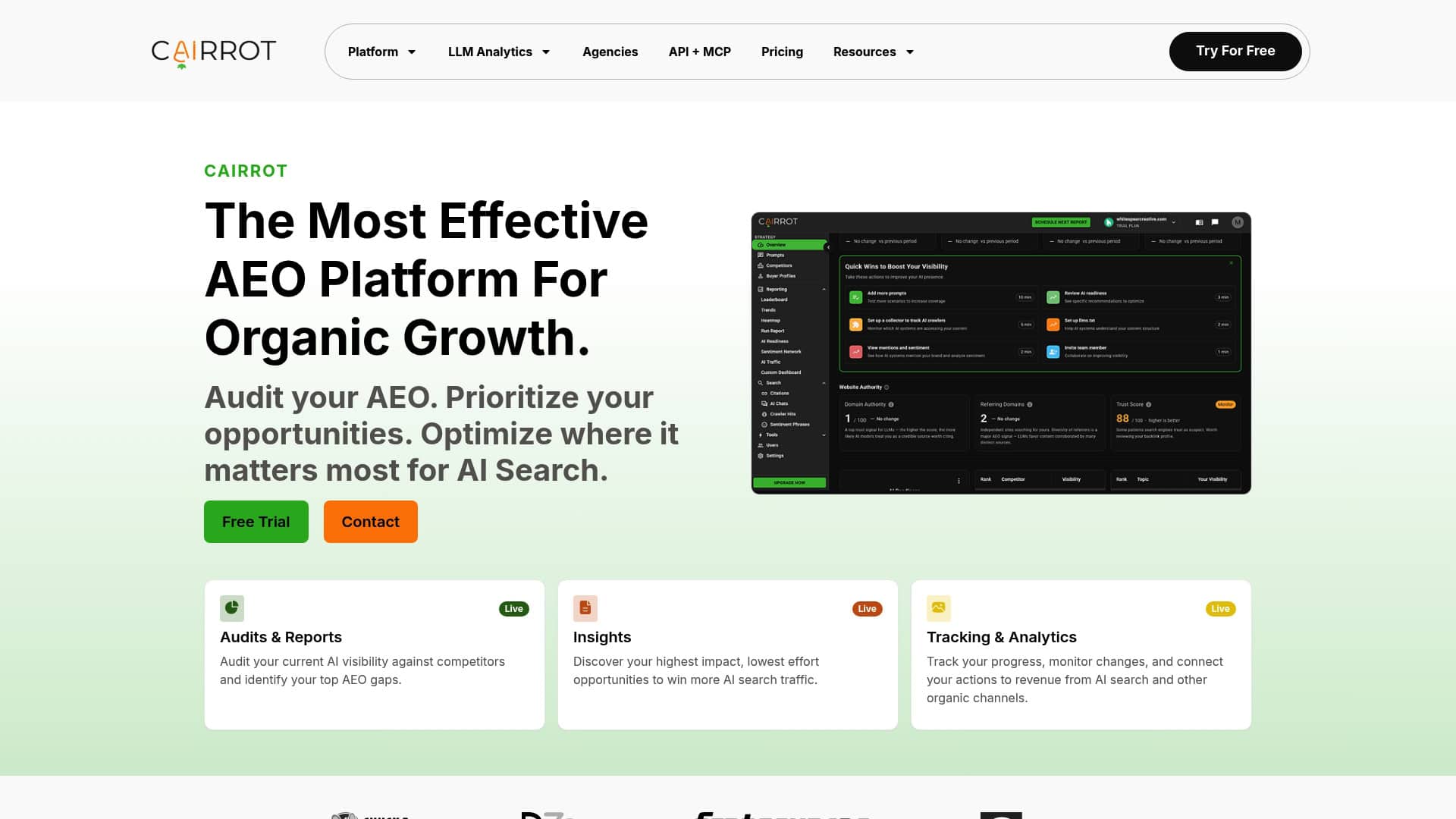
Ready to see beyond impressions? Explore Cairrot and compare your AI visibility across engines in one place.
Building a client-ready report from this data
Agencies and in-house teams usually need one page that a non-specialist can read in two minutes. A simple structure works:
- Headline: the number of pages with AI impressions this period versus the last, with the date range stated.
- Top movers: five pages that gained or lost AI impressions, with a note on any content change made.
- Outliers: pages strong in organic but absent from AI features, and the reverse.
- What we cannot see: one sentence stating that Search Console excludes queries, clicks, and citation placement, so no click claims are made from this data.
- Next actions: two or three content tasks tied to the findings.
The fourth item protects you. It sets expectations once and prevents the awkward conversation later when someone asks for AI-driven revenue and the source does not carry it.
Common mistakes to avoid
Reading impressions as visits. An impression means your page was shown in an AI feature. It is not a click and not a session.
Reacting to daily swings. Use multi-week windows, as the guidance above recommends.
Ignoring canonical rollups. If numbers look low for a page, check whether its traffic is assigned to a canonical version.
Treating an empty report as a verdict. Properties with too few impressions may see no data at all.
Forgetting other engines. A strong Google result tells you nothing about how you appear elsewhere.
FAQ
Where can I see AI Overviews data in Search Console?
Google’s Generative AI performance report for Search covers AI Overviews and AI Mode, and Discover has its own separate report. If your property has not collected enough impressions in these features, the report may not appear or may be empty. Check the official help page for the current layout.
Can Search Console show which queries trigger AI Overviews?
No. The report is impression-only and groups data by page, country, date, and device. It excludes queries, clicks, CTR, and average position, so query-level analysis needs another method, such as comparing keyword cohorts in your standard Performance data.
Does Search Console show whether my page is cited in an AI answer?
It shows that a page received impressions in AI features, but not citation placement or the passage used. To see citations and how you are described across engines, you need a dedicated AI visibility tool alongside Search Console.
Does opting out of AI features hurt my regular rankings?
Google states the Search generative AI control is not a ranking signal for standard organic results. Opting out does mean your site stops appearing in these AI features and receives no impressions or traffic from them.
How often should I review the AI report?
Monthly works for most teams, with a view across several weeks. Review sooner after a major content update, and log the change date so you can match it to the trend.
Sources
- Generative AI performance report (Search), Search Console Help
- Search generative AI control, Search Console Help
- Google Now Reports AI Search Impressions, Search Engine Journal
- Google Search Console AI Reports Rolled Out Worldwide, Search Engine Journal
- How Do I Know If AI Overviews Are Taking Clicks From My Site, Search Engine Journal
- AI Search is Working. How to Prove It With Real Tests, Search Engine Journal
- Google Search Console AI performance reports and controls, Search Engine Land
- Why GA4 alone can’t measure the real impact of AI SEO, Search Engine Land
- SEO in the black box era, Search Engine Land
- Introducing the branded queries filter in Search Console, Google Search Central
- Top ways to ensure your content performs well in Google’s AI search, Google Search Central
- Presence-based metrics in AI search
- Enterprise AI search visibility strategy