
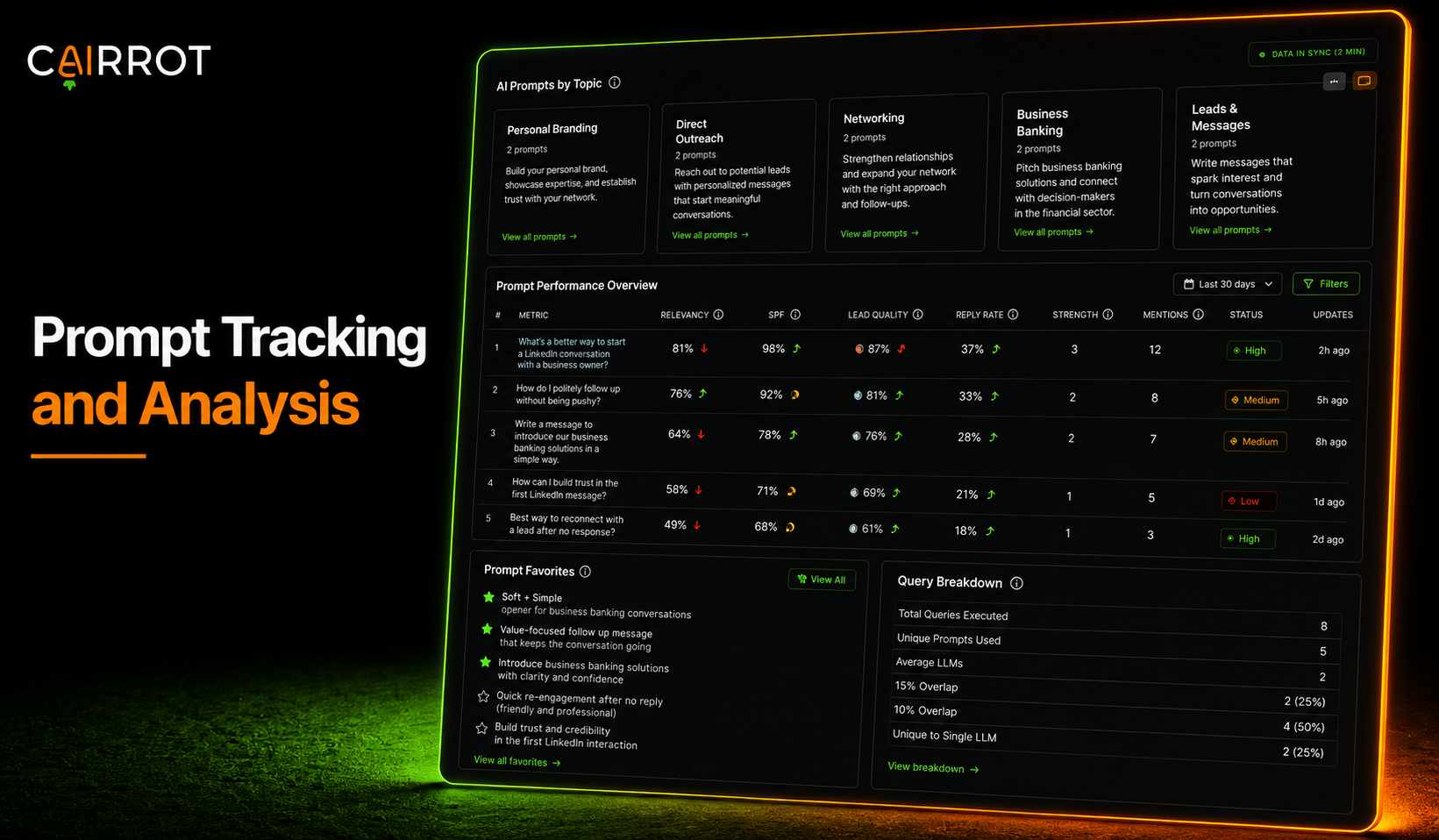
What is prompt tracking and how does it work?
Prompt tracking means running the questions your customers actually ask AI, like “what are the best lead generation solutions for functional medicine doctors in Atlanta,” and checking whether the AI recommends you or your competitors. It is the AEO (GEO) version of keyword tracking and analysis, you are measuring whether you get mentioned, cited, and described positively in the answer itself.
Best practices:
- Track the questions real customers ask right before buying something like what you’re offering.
- Include a location in your prompts if your a location based business or an international brand.
- Include at least one set (Topic) of branded prompts so you get richer sentiment analysis data from each LLM.
How to start tracking prompts in any LLM
Tracking prompts by hand in a spreadsheet falls apart fast once you have more than a few prompts or more than one client. A prompt tracking tool runs them on a schedule, scores every response, and keeps the history. Next I’ll show you how I track and analyze prompts for my AEO/GEO clients with Cairrot.
3 ways to set up your target prompts
The three most common ways we see customers set up their target prompts are:
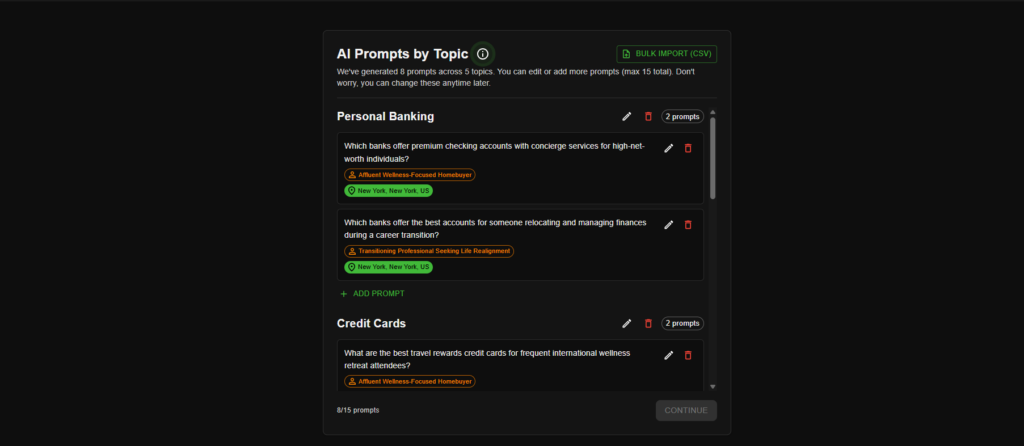
- They let Cairrot’s AI-assisted setup suggest high-intent prompts for you.
- They upload contextual prompts in bulk with CSV during setup.
- They add, remove, and analyze prompts from their own AI assistants via MCP server or their internal BI tools via API.
If you’re just trying to get an initial baseline for your website(s), use Cairrot’s assisted setup path when adding a new website and you will have a well-targeted set of Topics populated with Prompts.
If I’m setting up prompts for a new client, I like using the “BULK IMPORT (CSV)” feature during setup. Technical users generally prefer using our API and MCP features to manage and analyze prompts.
Analyzing your target prompts
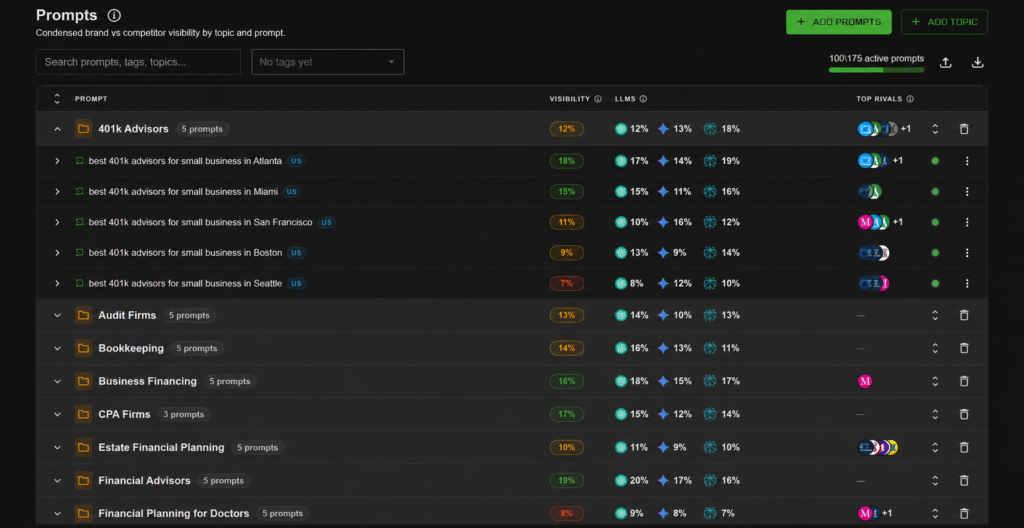
Head to Prompts in the left sidebar of your AEO dashboard.
Every prompt is inside a topic, and each row shows your visibility score, a breakdown by LLM, and where your competitors are ranking in the same answers. Hit Add Prompts and the wizard walks you through it in four steps: picking a topic, type your prompts, add tags and location, then you’re all set.
Drill-down analytics for every prompt
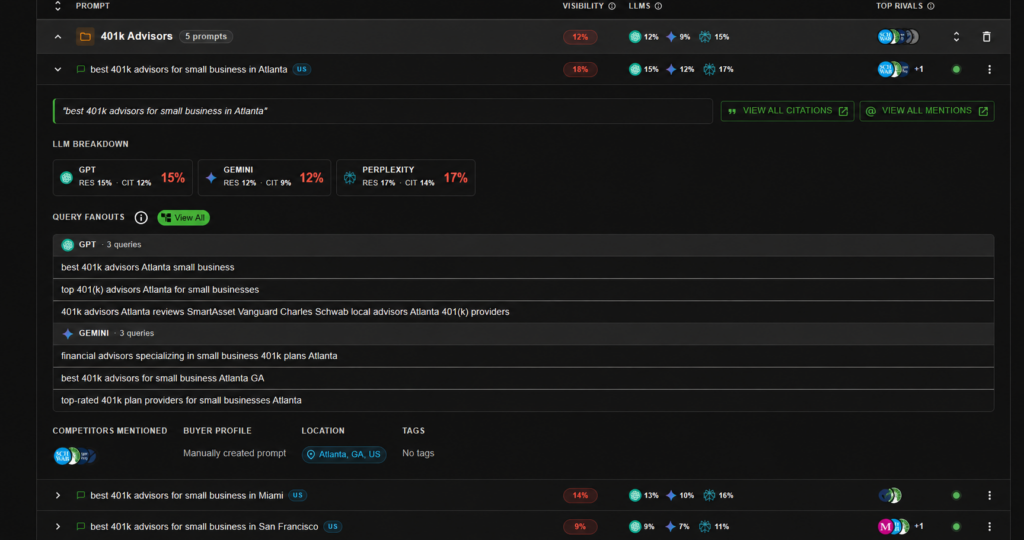
Click and prompt to expand it, You get a per-LLM breakdown showing your response rate and citation rate for each model, plus Query Fanouts, which are the actual searched in AI ran behind the scenes to answer your prompt.
Read the raw AI responses
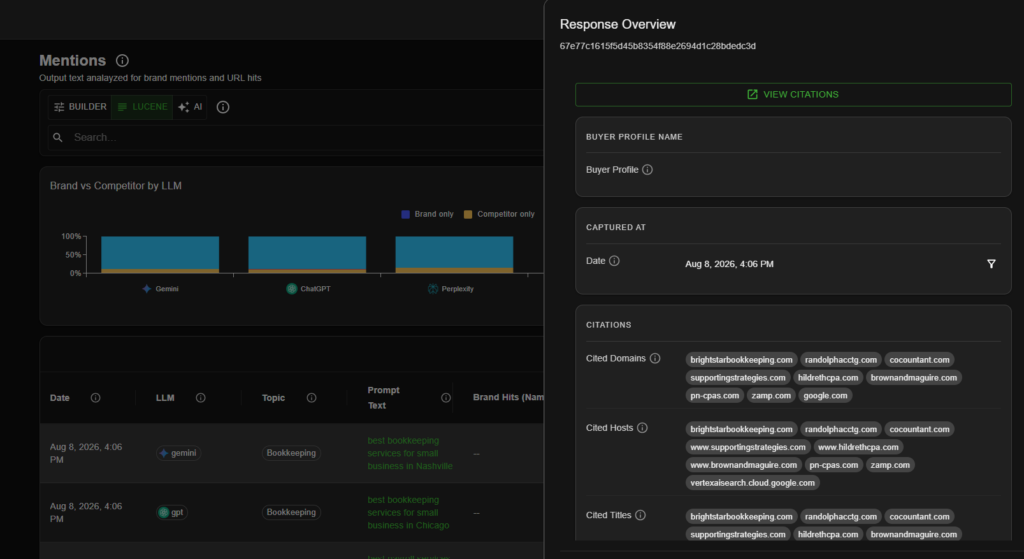
Head to AI Chats under Search and you can see every response the LLMs gave, scored for brand mentions, competitor mentions, and sentiment across ChatGPT, Perplexity, Claude, DeepSeek, Gemini, and Google AI Overviews. Click any row to read the full raw answer, so when a competitor gets recommended over you, you can see exactly how the AI phrased it.
FAQ
Is prompt tracking included in every Cairrot plan?
Yes, every paid Cairrot plan includes prompt tracking, per LLM breakdowns, and the raw response viewer, with the number of active prompts scaling by plan.
How often does Cairrot run my prompts?
Prompts run automatically on a recurring schedule, and you can trigger an Instant Run from your dashboard when you need fresh data now.
What are query fan-outs?
When you ask an AI a question, it quietly runs several web searches to build its answer, and query fan-outs show you those exact searches so you know what content to create.
Try analyzing your target prompts for free
Generate your first AI visibility report with Cairrot in about five minutes. No credit card required to generate your first report.