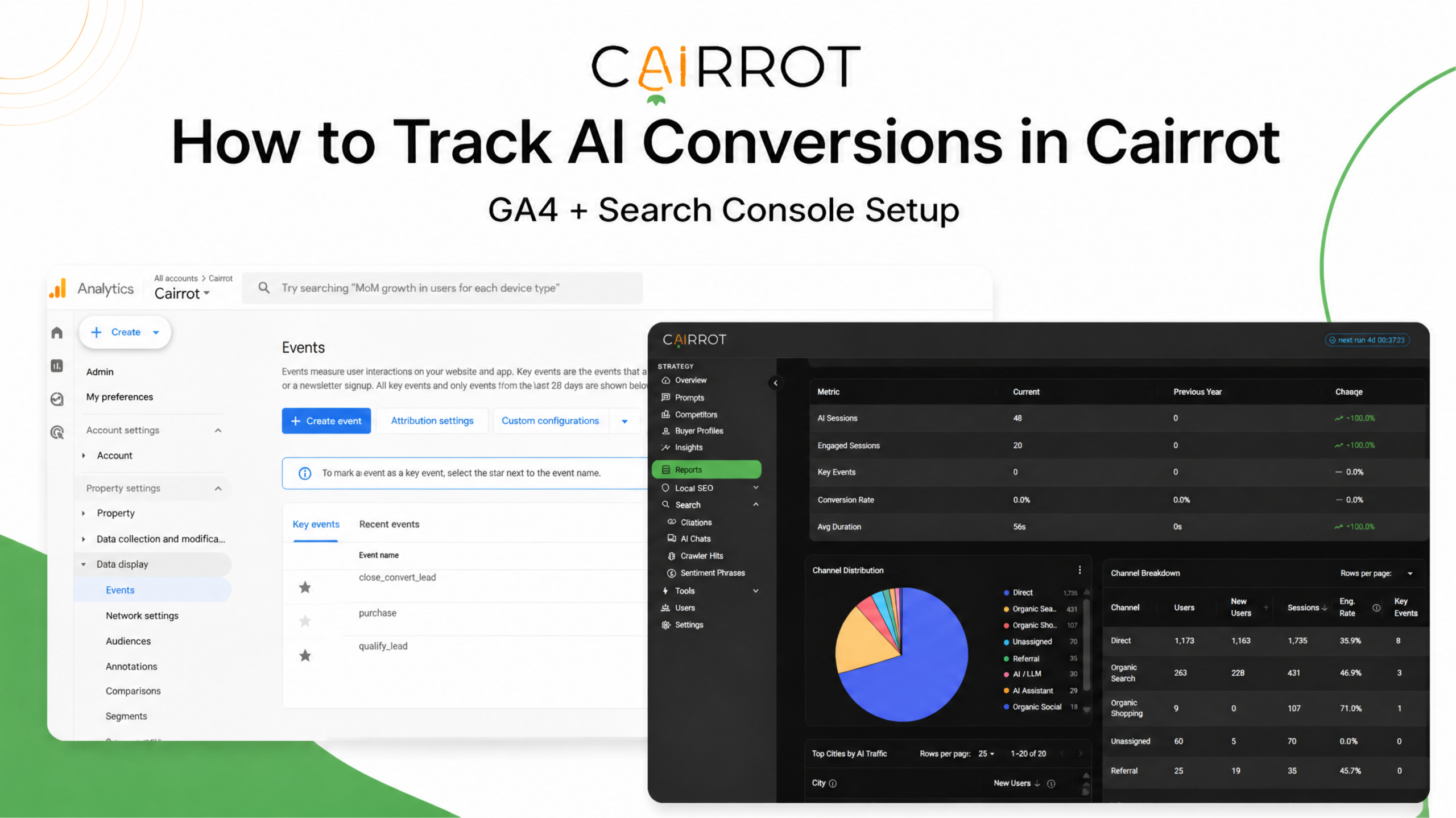
Most AEO tools track AI mentions, citations, and rankings. Cairrot goes further by connecting directly to Google Analytics 4 to show whether traffic from ChatGPT, Claude, Gemini, and Perplexity leads to meaningful results. Our AI Traffic report measures sessions, engaged sessions, key events, and conversion rates, with filters for each AI provider and landing page.
By setting up your key events to match your conversion action, you can start attributing new sales to actual AI traffic. Setup takes about five minutes, but you’ll need to complete one important step first.
If your Key Events reads 0, the connection is rarely the problem. It’s that GA4 has nothing marked as a key event. Cairrot reads your key events, and this guide will show you how to set it up.
What You’ll Need
- A Cairrot project (the Google integration is available on every plan)
- A GA4 property receiving traffic, with Editor or Administrator access so you can mark key events
- A Search Console property verified for the same domain
- A Google account that can see both
Define Your Key Events in GA4
Step 1. Open Events in GA4
In Google Analytics, go to Admin → Data display → Events. You’ll see every event your property is collecting: page_view, scroll, click, form_submit, and any custom events you’ve set up.
Step 2: Mark the ones that matter as key events
Find the event that represents a real business outcome, generate_lead, submit_form, purchase, book_appointment, and flip the Mark as key event toggle.
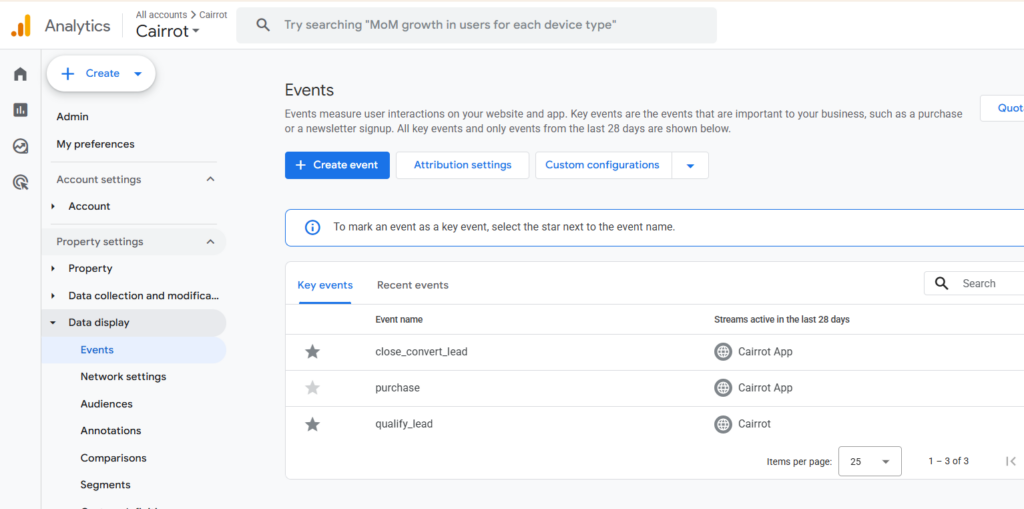
Pick the events that map to money or pipeline. Don’t have the right event yet? GA4 will often suggest one, it flags things like repeated /contact page views and offers to track them as a generate_lead key event. That’s a reasonable starting point for a service business.
Key events are retroactive for reporting but not for collection: GA4 counts them from the moment you mark them, so do this before you start measuring, not after.
Connect Google to Cairrot
One authorization covers both GA4 and Search Console.
Step 3: Open your project’s Integrations tab
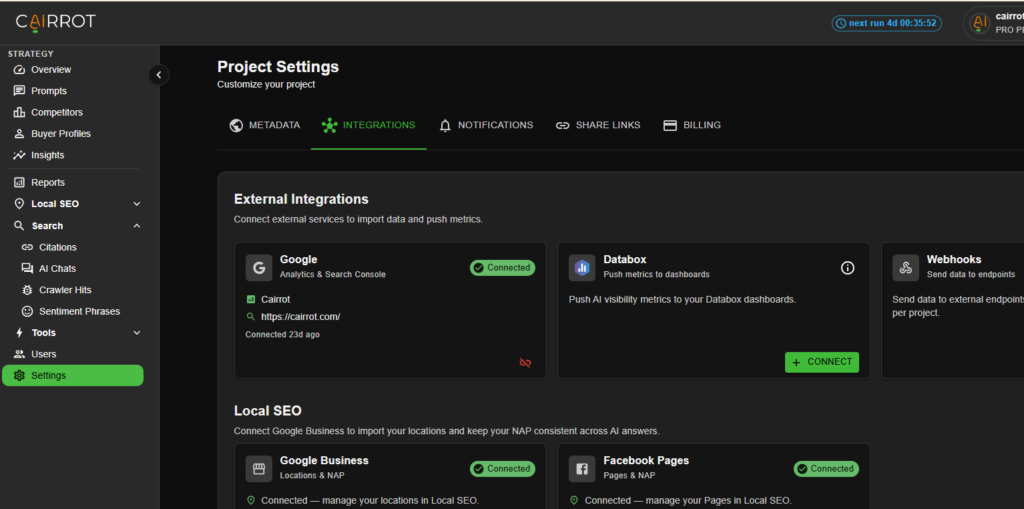
In Cairrot, go to Settings → Integrations. The first card under External Integrations is Google: Analytics & Search Console
Step 4: Authorize
Click Connect, sign in with the Google account that has access to both properties, and approve the consent screen. Cairrot asks for two read-only scopes:
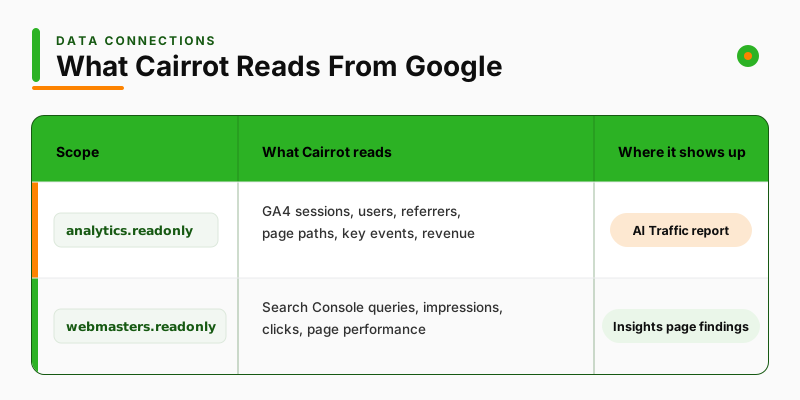
Both are read-only. Cairrot cannot modify, delete, or write anything in your Google account, and you can revoke access at any time from the same card, or from your Google account security settings.
Step 5: Select your properties
Pick the GA4 property and the Search Console site for this project. If you manage several brands, connect each project to its own pair, one Google account can serve all of them.
Once connected, the card shows the linked GA4 property name and the Search Console URL, along with how long it’s been connected.
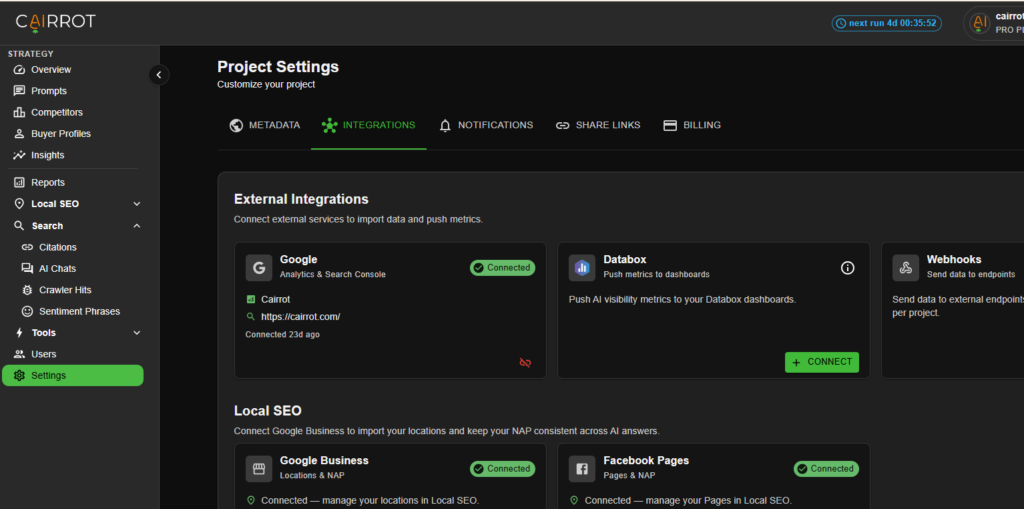
Give it about 24–48 hours for the data to sync before you start using the numbers.
Read the AI Traffic Report
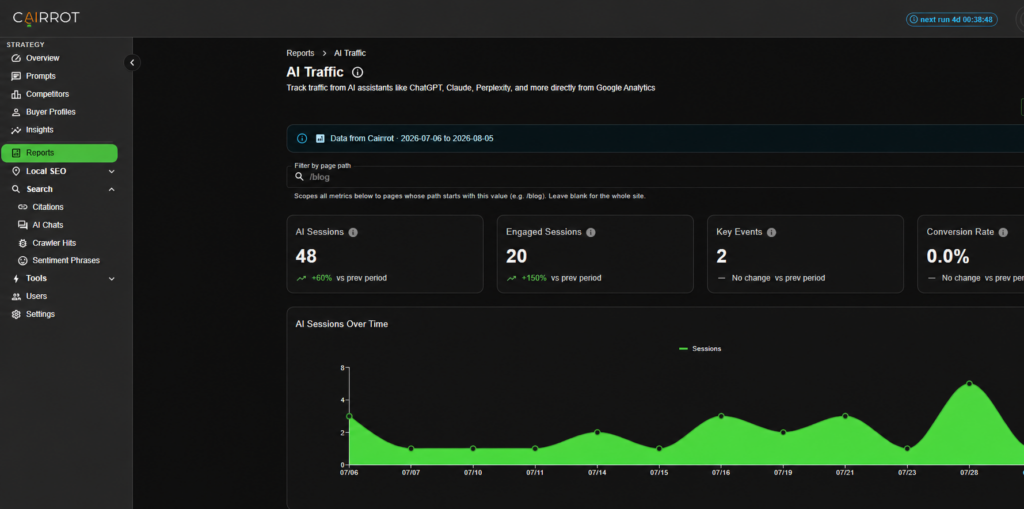
Go to Reports → AI Traffic.
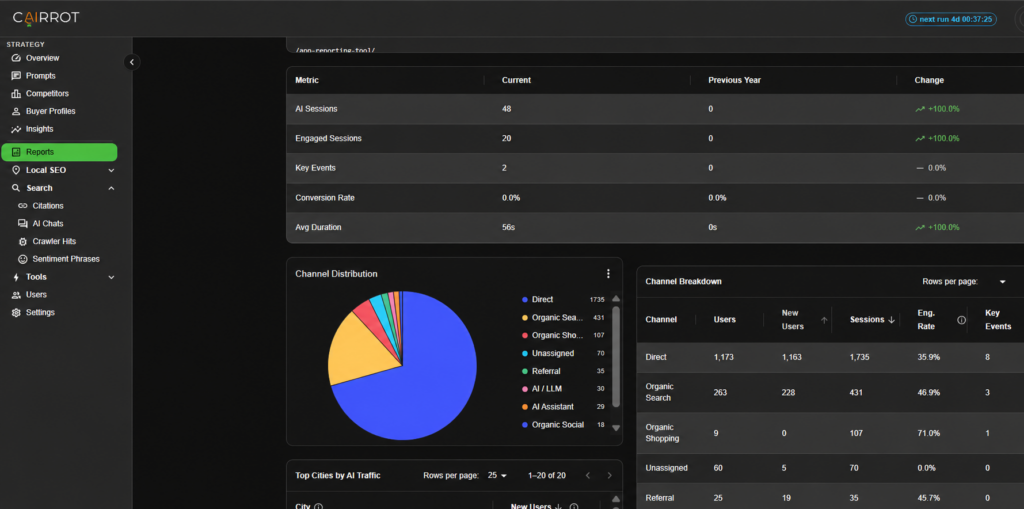
The four numbers at the top
- AI Sessions: visits that arrived from an AI assistant
- Engaged Sessions: the ones that didn’t bounce
- Key Events: conversions from that AI traffic, straight from GA4
- Conversion Rate: key events divided by AI sessions
Step 6: Break it down by provider
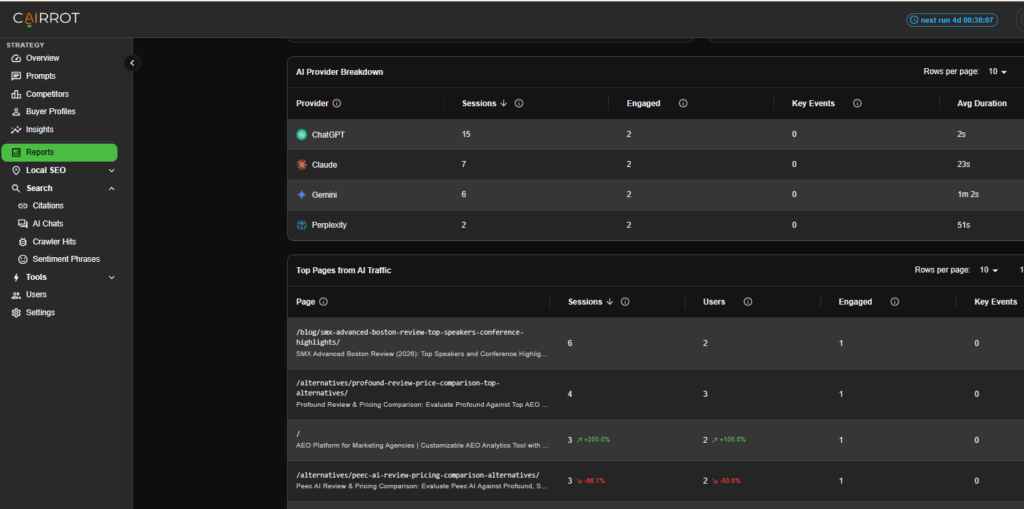
The AI Provider Breakdown table splits sessions, engaged sessions, key events, and average duration across ChatGPT, Claude, Gemini, and Perplexity.
This is where the interesting asymmetries show up. In Cairrot’s own account last month, ChatGPT sent the most traffic by far: 15 of 48 sessions, but with an average duration of 2 seconds. Gemini sent 6 sessions averaging over a minute. Volume and quality are not the same story, and a single “AI traffic” number hides that completely.
Step 7: Find the pages doing the work
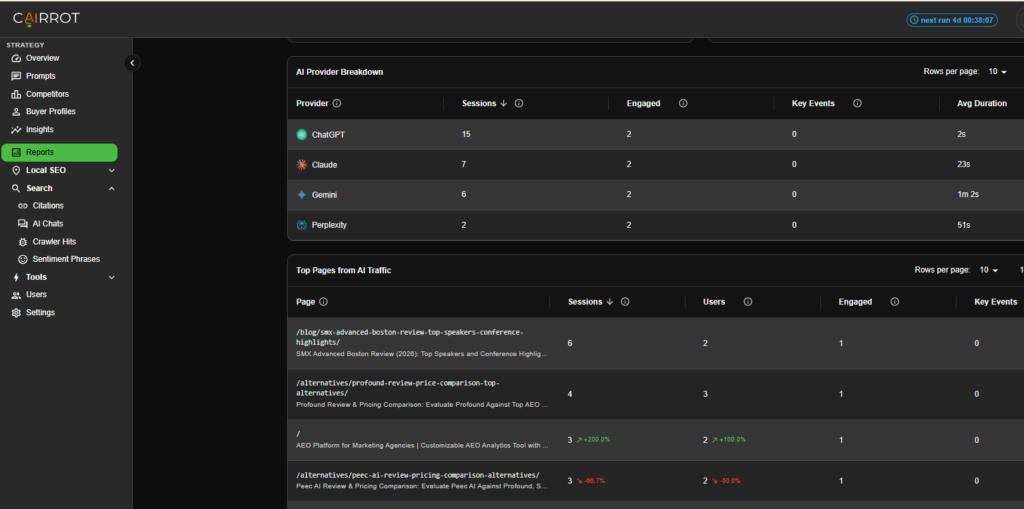
Top Pages from AI Traffic ranks landing pages by sessions, users, engaged sessions, and key events. Pair it with the Filter by page path box at the top, enter /blog, and every metric on the page rescales to your blog.
That single filter is how you answer “is our content marketing producing AI-sourced conversions, or just AI-sourced pageviews?”
Step 8: Compare AI against your other channels
Scroll to Channel Breakdown and you get AI traffic sitting next to everything else: Direct, Organic Search, Referral, Organic Social with users, engagement rate, key events, and revenue per channel. The AI channels are starred.
How to Actually Track This Going Forward
Once the integration is connected, use the workflow below to turn your AI traffic data into an ongoing measurement practice. You can also connect Cairrot to Claude through MCP and ask questions about your data directly: follow this MCP guide to set it up.
Do this weekly, takes about ten minutes:
- Open AI Traffic and set the range to your reporting window. Note AI Sessions and Key Events, and the period-over-period change on each.
- Filter by the page path you’re actively working on. If you shipped three new comparison pages this month, filter to that directory and watch its AI sessions independently of sitewide noise.
- Check the provider breakdown for shifts. A provider whose average duration collapses is usually a content-match problem, you’re being cited for a question your page doesn’t really answer.
- Cross-reference with Citations. When a page starts earning AI sessions, check which prompts and providers are citing it. That tells you what to write next.
- Compare AI’s conversion rate to Organic Search’s in the Channel Breakdown. Parity means AI traffic is as valuable per visit as search traffic — that’s the number to put in a client report.
Ready to see whether your AI traffic is actually converting? Connect GA4 and Google Search Console to Cairrot to track AI-driven sessions, landing pages, key events, and conversions in one place. Set up your integrations and start measuring the impact of AI search today.