
If your agency has already set up AEO/GEO tracking, you’ve solved the easy part of metrics reporting. If you haven’t, start with our step-by-step guide to setting up AEO tracking. The harder part is integrating that tracking data with your tech stack and workflows. Between data visualization, business intelligence, and AI assistants, custom integrations have always been the norm for agencies and enterprise marketing teams. Even most of the SMB companies I speak with are prioritizing easy-to-integrate, open-data tools in their tech stack.
That’s where an AEO tool’s API and developer resources come in. But this is also where most marketing teams and agencies hit a wall, because many AEO tools do not offer an API or severely limit its usage limits. The providers that do offer a limited API that’s either locked behind an enterprise price wall, such as Profound or Peec AI.
Benefits of the AEO API for Dashboards & Reporting to Clients
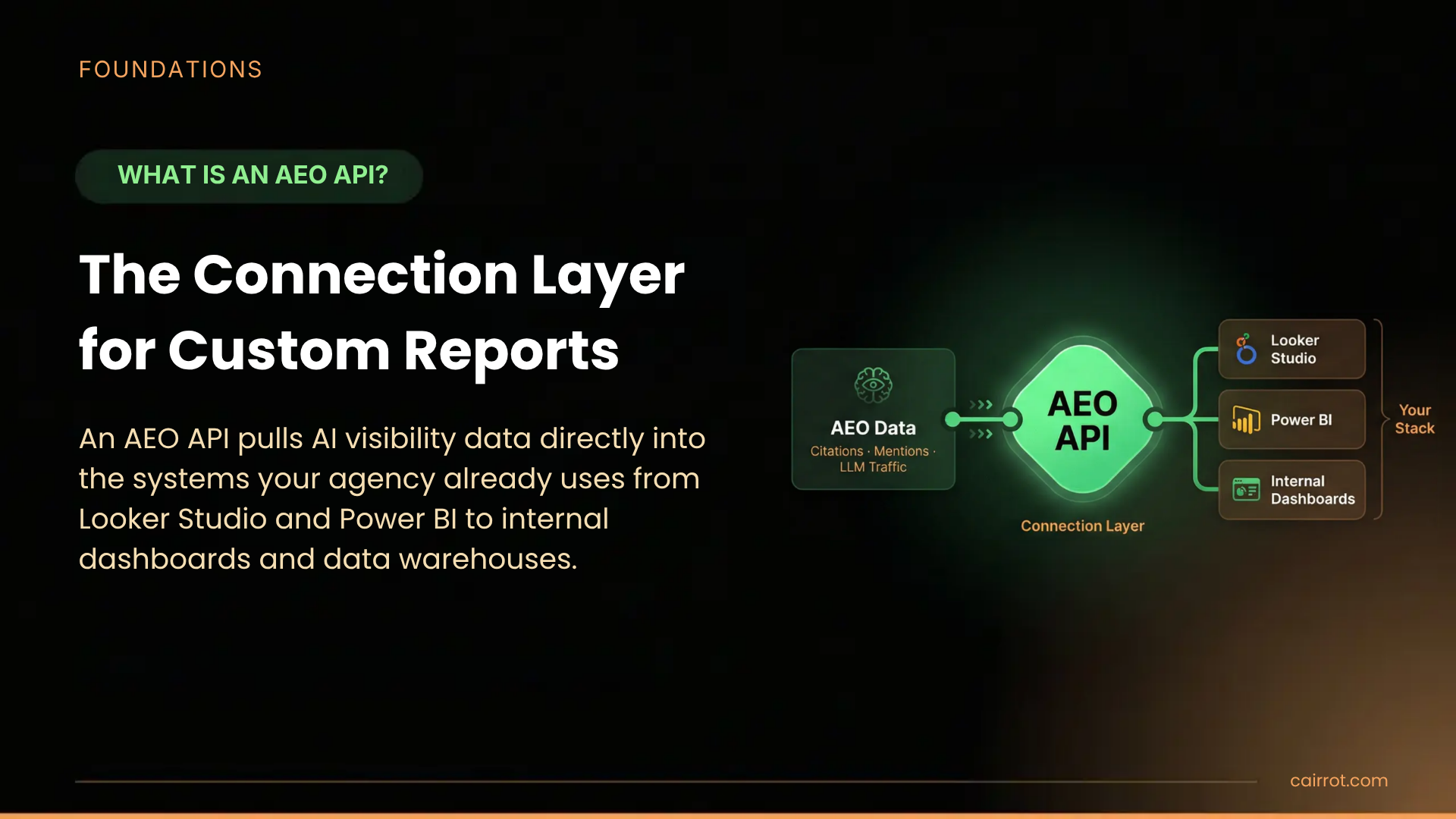
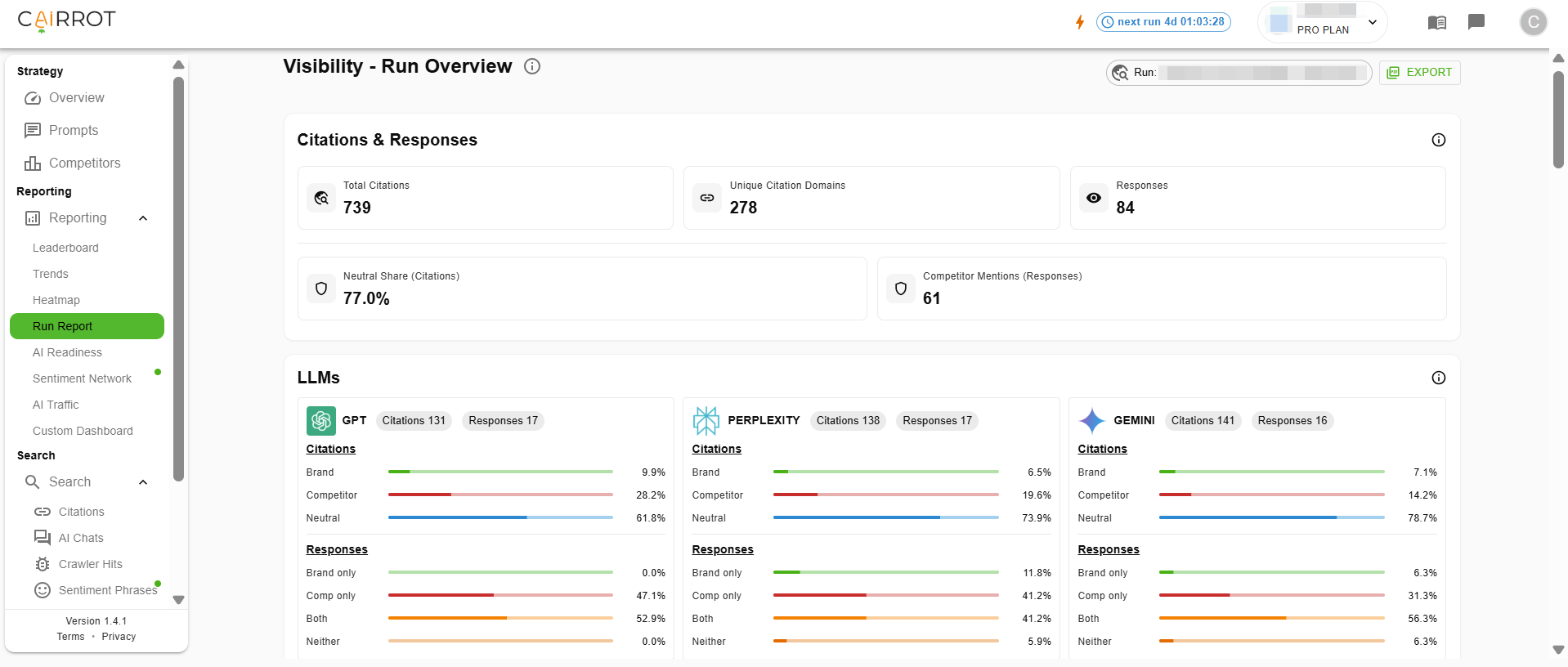
An AEO API is the connection layer that pulls AI visibility data out of a vendor’s dashboard and into the systems your marketing team or agency already use. With one API key, citation, mention, competitor, and LLM traffic data flows into Looker Studio, Power BI, internal dashboards, Slack alerts, data warehouses, and white-labeled client reports automatically.
Custom Dashboards and Report Exporting
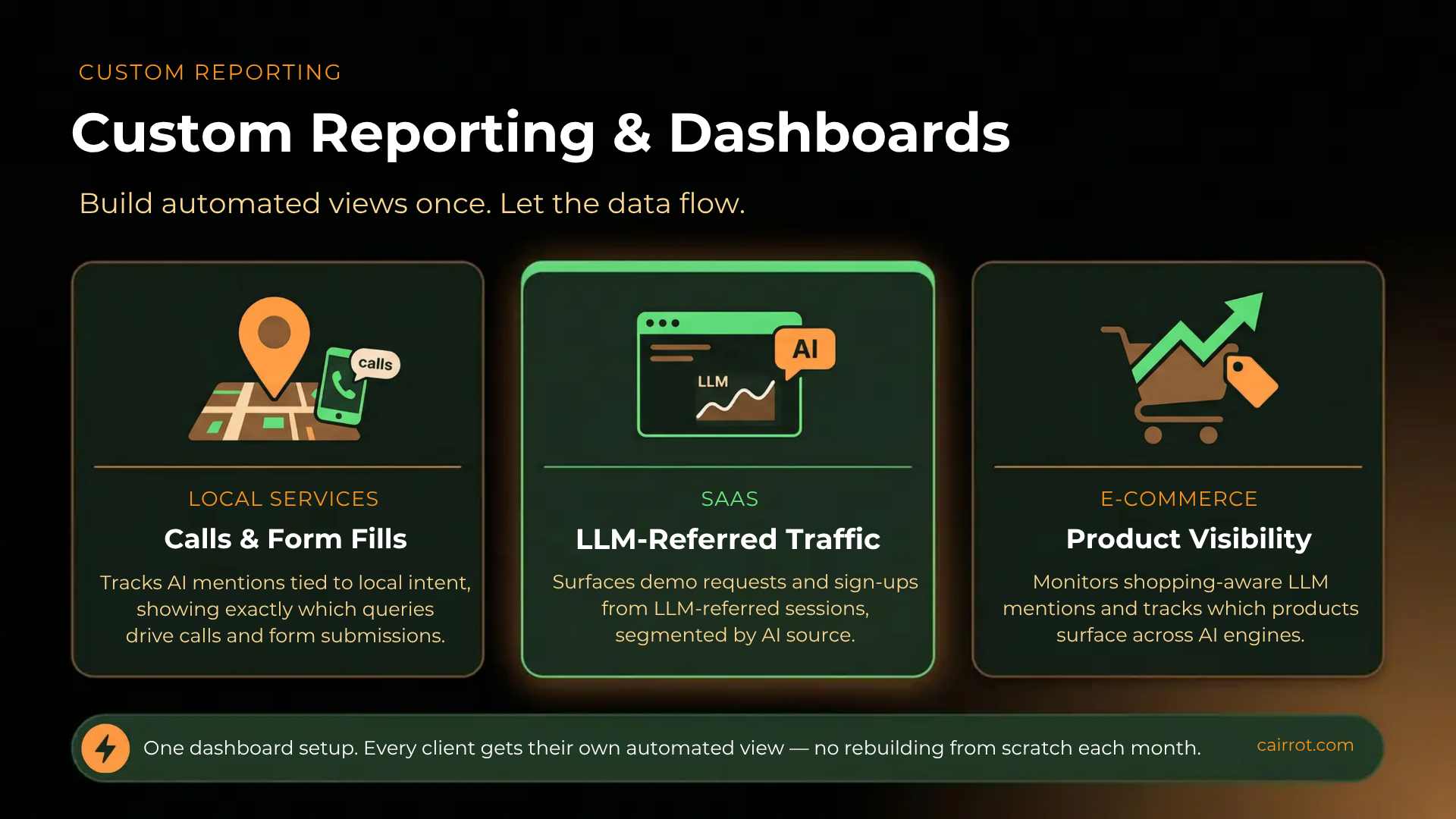
Different clients care about different things. A local services client wants calls and form fills tied to AI mentions. A SaaS client wants demo requests from LLM-referred traffic. An ecommerce client wants product visibility across shopping-aware LLMs. An AEO API for custom reporting and dashboards lets you build each view once and let the data flow automatically, instead of recreating reports from scratch every month.
The highest-leverage build is a single Looker Studio or Power BI dashboard that shows SEO rankings, GA4 traffic, paid media performance, and AEO visibility side by side. One client login, one story about search performance in 2026.
Custom Integrations
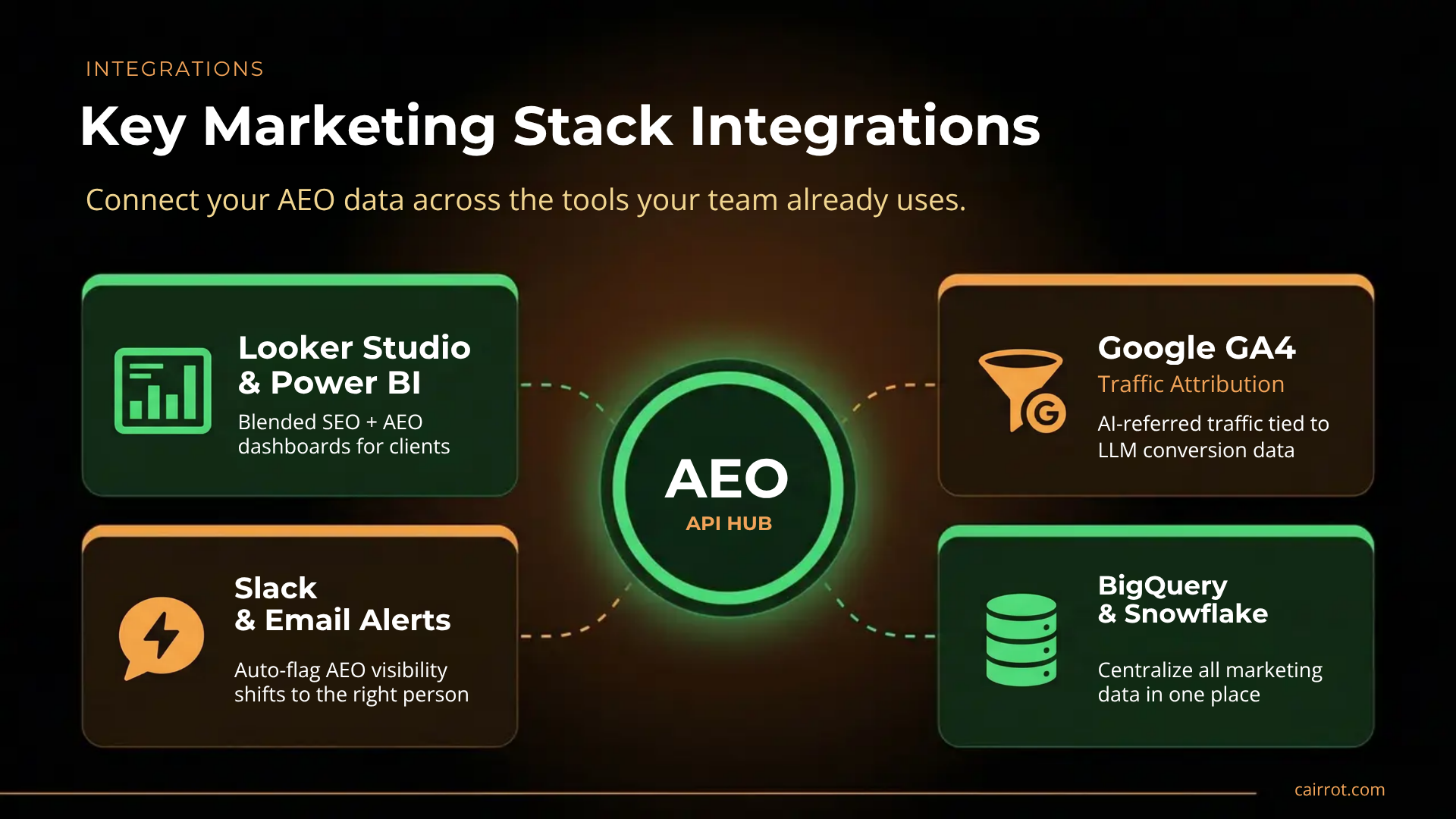
The API is what ties your AEO data to the rest of your marketing stack. The most common integrations agencies build:
- Looker Studio or Power BI for blended search and AEO dashboards
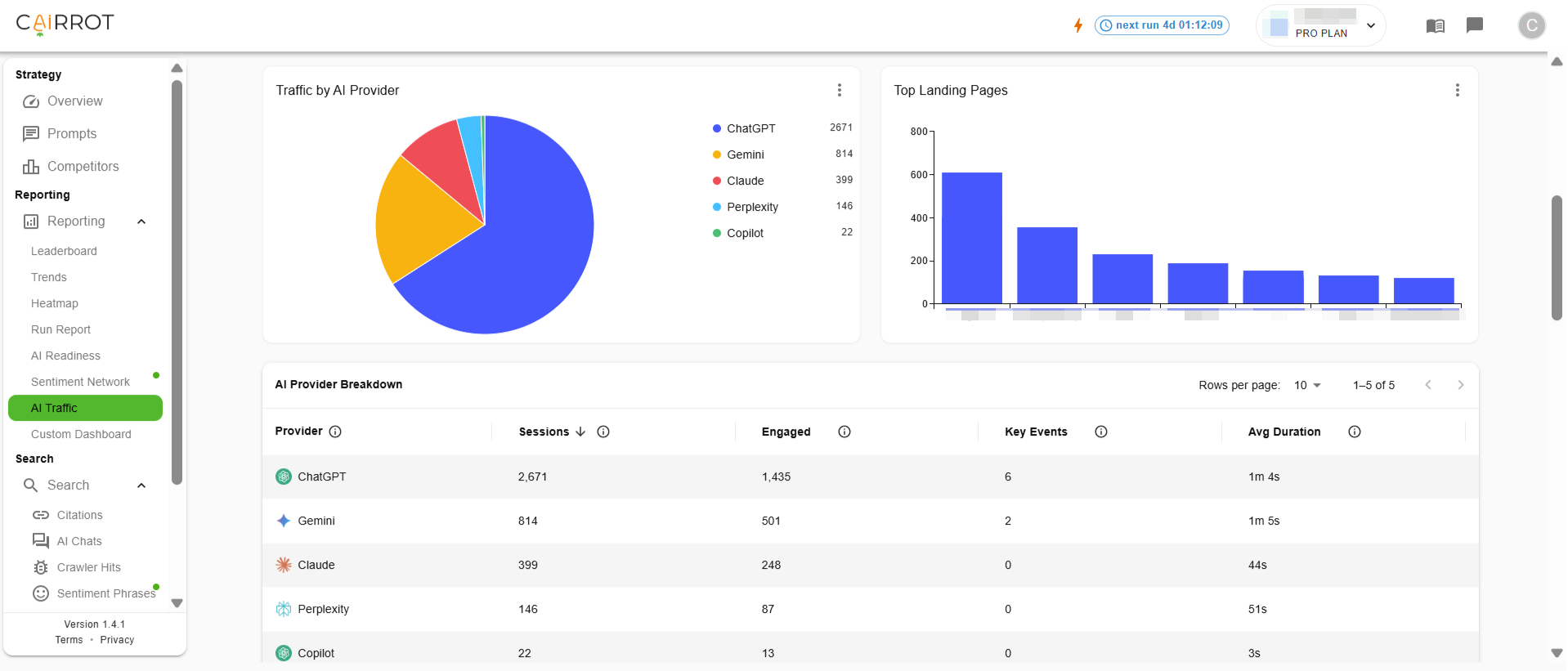
- GA4 for tying AI-referred traffic and conversions back to specific LLMs
- Slack or email for automated alerts when visibility shifts
- Zapier or internal tools for pushing AEO signals into CRM or project management workflows
- Data warehouses like BigQuery or Snowflake for teams that consolidate marketing data centrally
Data Ownership
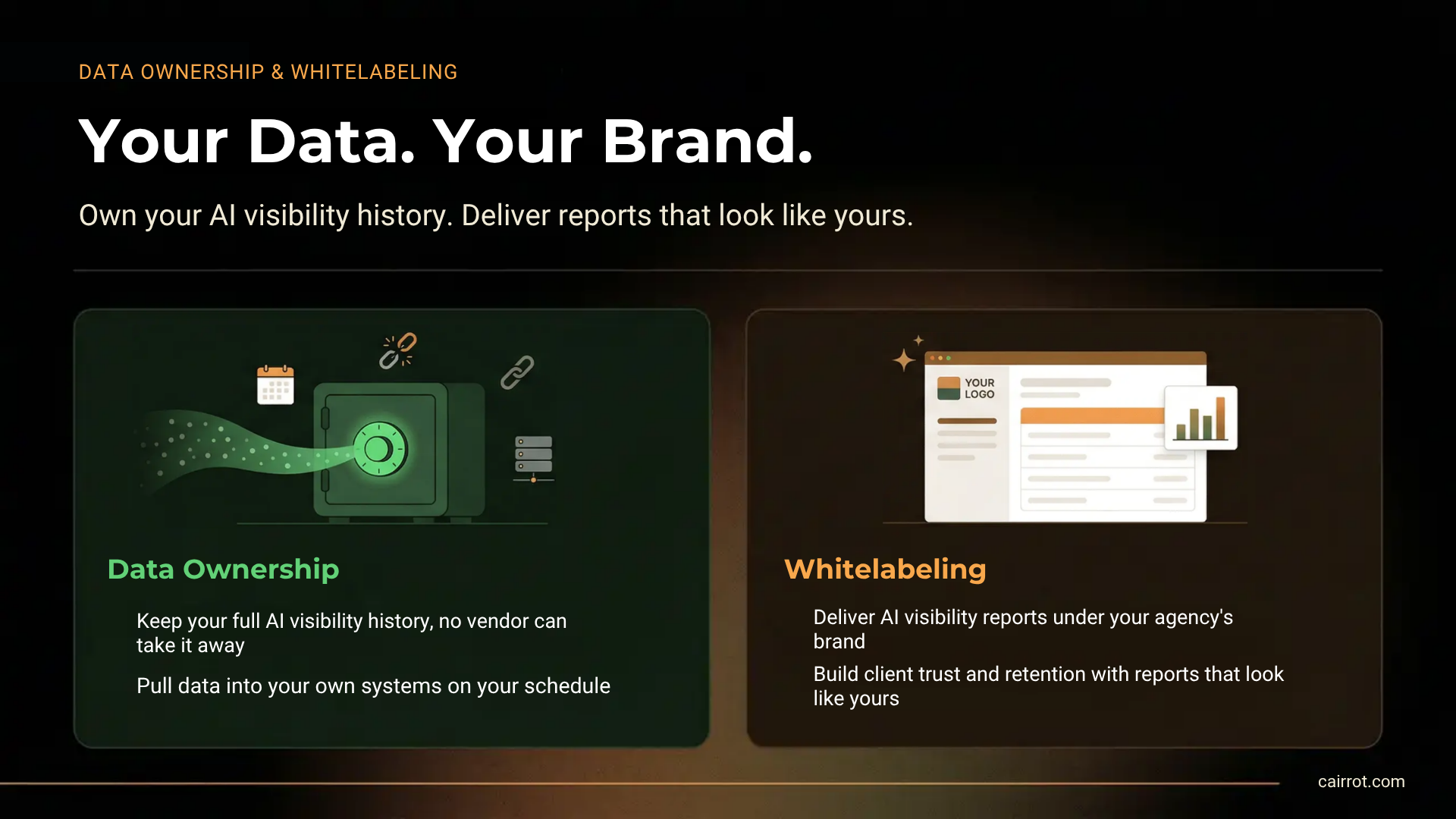
Without an API, your AEO data lives inside one vendor’s UI on their retention schedule. With an API, you pull it into your own systems and keep it as long as you need it. That matters for year-over-year reporting, for client-owned data requirements, and for any client who wants their historical AI visibility data to outlive their contract with any single tool.
Agentic Workflows
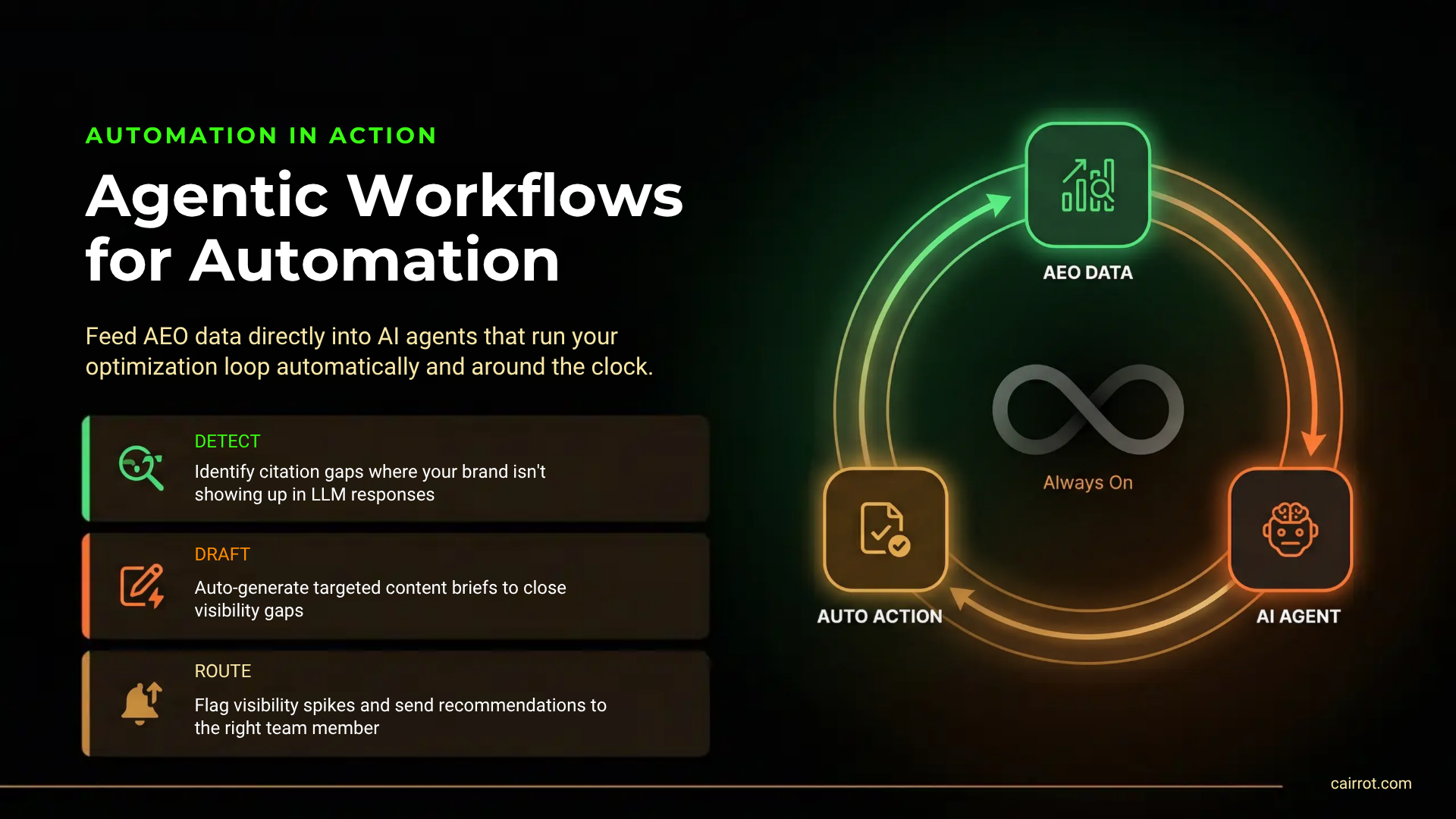
MCP connections are a new and fast-growing use case. Marketing teams and agencies are starting to feed AEO data into AI agents that automate parts of the optimization loop: identifying prompts where citations are slipping, drafting content briefs targeting those gaps, flagging when a competitor’s visibility spikes on a key topic, and routing recommendations to the right person on the team. An AEO developer API is the ingestion layer that makes any of this possible. Without it, the agent has nothing structured to read from.
White Label AEO Reports
Agencies don’t win renewals because clients log into five different tools. They win renewals because one dashboard, branded to the agency, shows the client what’s happening across every channel. An API-powered Looker Studio report that sits on your agency’s domain, pulls Cairrot data in the background, and shows AI visibility alongside SEO and paid performance is the single most valuable thing the API unlocks for agency operations, and it’s the feature most AEO platforms withhold from non-enterprise plans.
AEO API Cost Estimates
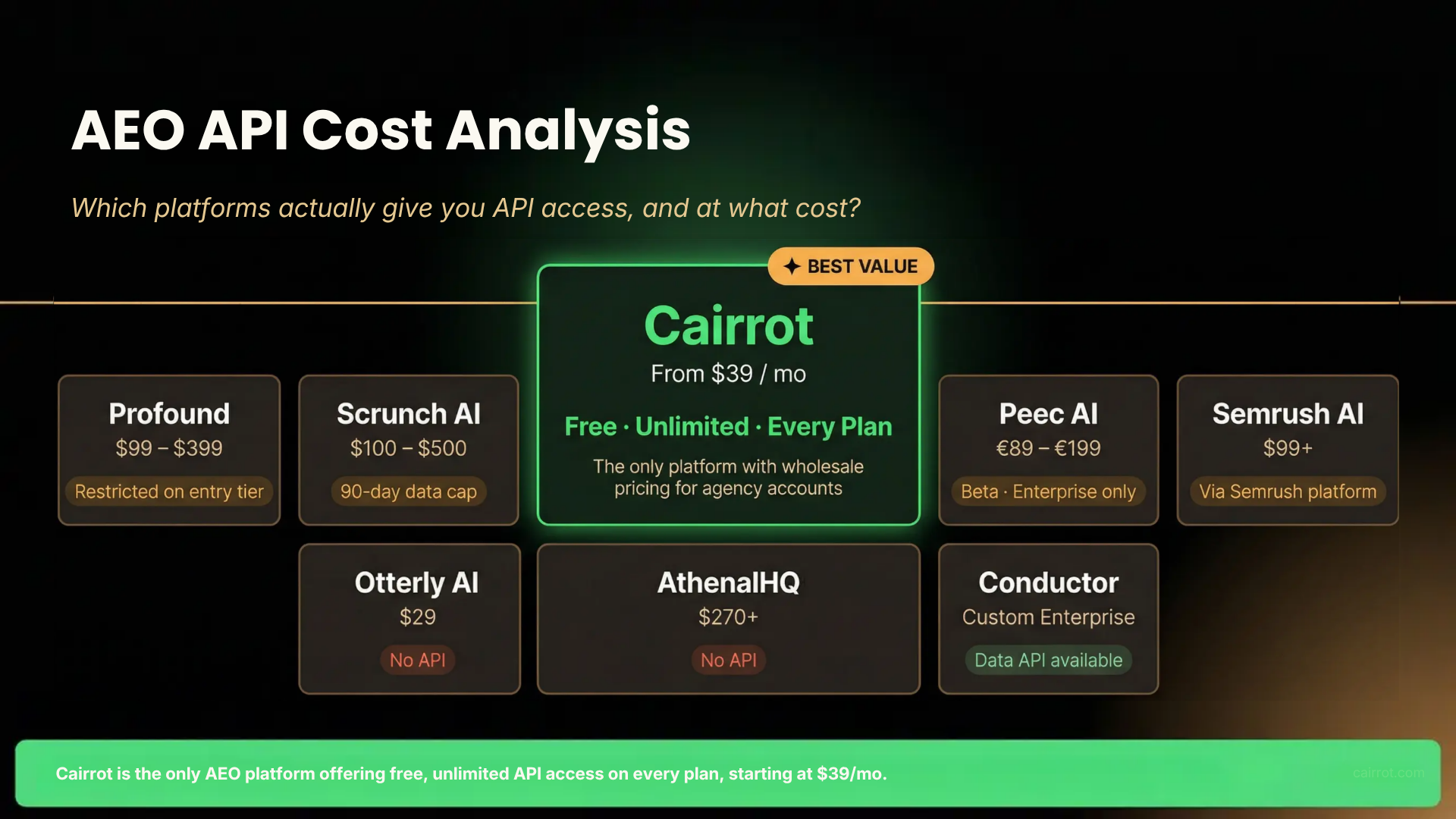
API integration costs will vary for agency, enterprise, and SMB use-cases. Pricing varies dramatically by provider. We’ve summarized cost information below, but we’ve also reviewed API pricing for several top AEO tools like Peec AI, Profound, and Scrunch AI.
Cost for Marketing Agencies
Agencies feel the cost problem hardest because they’re multiplying it across a client roster. Most platforms gate API access at $300 to $500+ per month, and some restrict it to custom-priced enterprise tiers. Tools like Cairrot not only offer unlimited API access with any plan, but also custom, wholesale pricing for agencies trying to manage AEO reports for multiple clients. We even offer co-promotion and lead generation opportunities to Garden Partners, Cairrot customers that have been vetted and approved by Connor Kimball as AEO experts.
| Platform | Entry Price | API Access |
| Cairrot | $39 | Free, unlimited, every plan |
| Profound | $99 Starter / $399 Growth | Restricted on Starter; broader on higher tiers |
| Scrunch AI | $100 Explorer / $500 Growth | Available, but 90-day data retention cap |
| Peec AI | €89 Starter / €199 Pro | Beta, Enterprise-only |
| Otterly AI | $29 | No API |
| AthenaHQ | $270+ | No API |
| Semrush AI Visibility Toolkit | $99+ | API via Semrush platform |
| Conductor | Custom (Enterprise) | Data API available |
For agencies pricing AEO as a service line across small and mid-market clients, $500/month in platform cost before you’ve added seats or prompts rarely works. Cairrot is currently the only platform that includes a free unlimited API on every tier, with wholesale pricing available for agency accounts.
Cost for SMB Marketing Teams
Small and mid-sized businesses running their own AEO don’t usually need heavy API access, but they do benefit from it when executives want AI visibility data to show up inside the dashboards they already check daily. For an SMB, the practical cost question is whether you can get API access without jumping to a $300+/month plan. On most platforms, you can’t. On Cairrot, the $39/month entry plan includes unlimited API usage.
Cost for Enterprise Companies
Enterprise buyers generally get API access on every major platform, but the price reflects it. Profound, Conductor, Scrunch, and Peec AI all route enterprise API access through custom pricing that typically starts in the mid four figures monthly. What varies at this tier is data retention, SLA support, and whether the API is truly unlimited or metered. Cairrot’s free unlimited API applies at the enterprise tier too, which is one of the reasons agencies and mid-market teams consolidate multiple client accounts on the platform. Cairrot’s Enterprise tier pricing is significantly lower than major competitors like Profound, Bluefish AI, and Evertune.
How to Set Up Custom AEO Reports with a Developer API
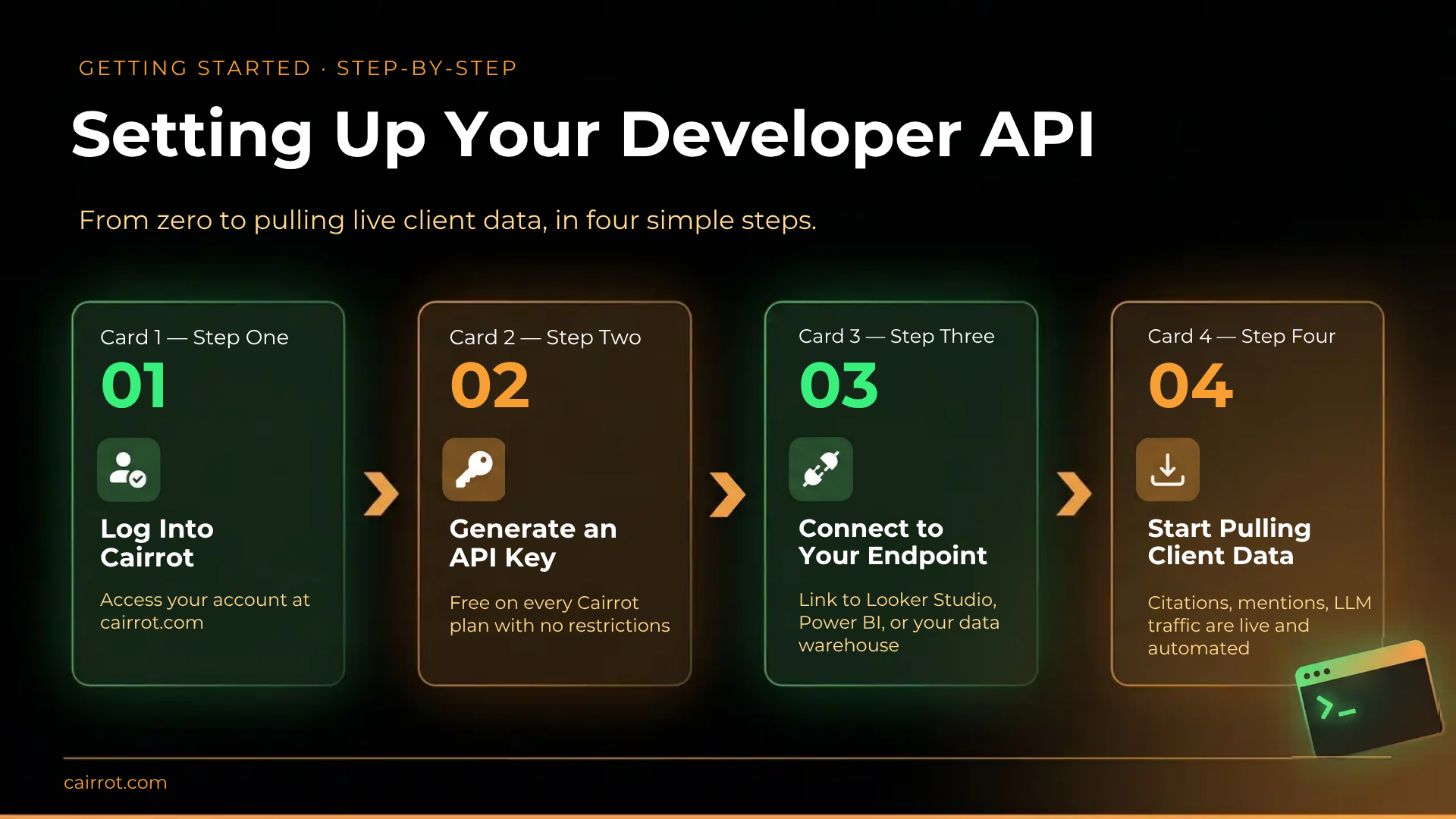
Setting up the Cairrot API takes just a few minutes:
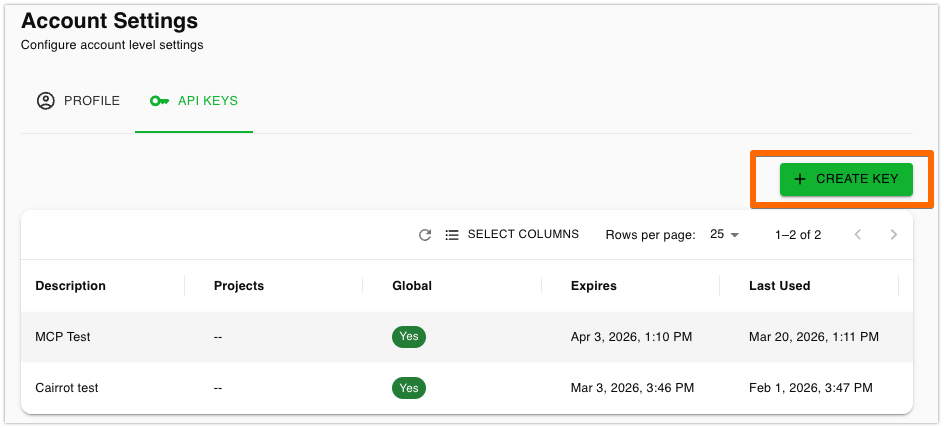
- Log into Cairrot and go to Account Settings.
- Generate an API key. Free unlimited API access is included on every plan.
- Connect the key to the endpoint you’re pulling data into.
- Start pulling the data that matters for each client.
Common API connects for AEO teams include:
- Looker Studio or Power BI for client-facing dashboards
- Tableau for more advanced analytics teams
- Zapier or Make for automated alerts and workflow triggers
- BigQuery, Snowflake, or internal data warehouses for centralized marketing data
- Custom client portals for white-labeled agency dashboards
Best Practices
- Treat your API keys like secrets; never commit them to GitHub or share them in chat.
- Rotate keys regularly, especially if they are used in production systems.
- Prefer scoped keys over global keys to reduce risk in case of accidental exposure.
- Revoke unused keys to keep your security posture tight.
- Your API Key assumes the role you have on the project assigned.
Native Integrations You Don’t Need an API for (Databox Example)
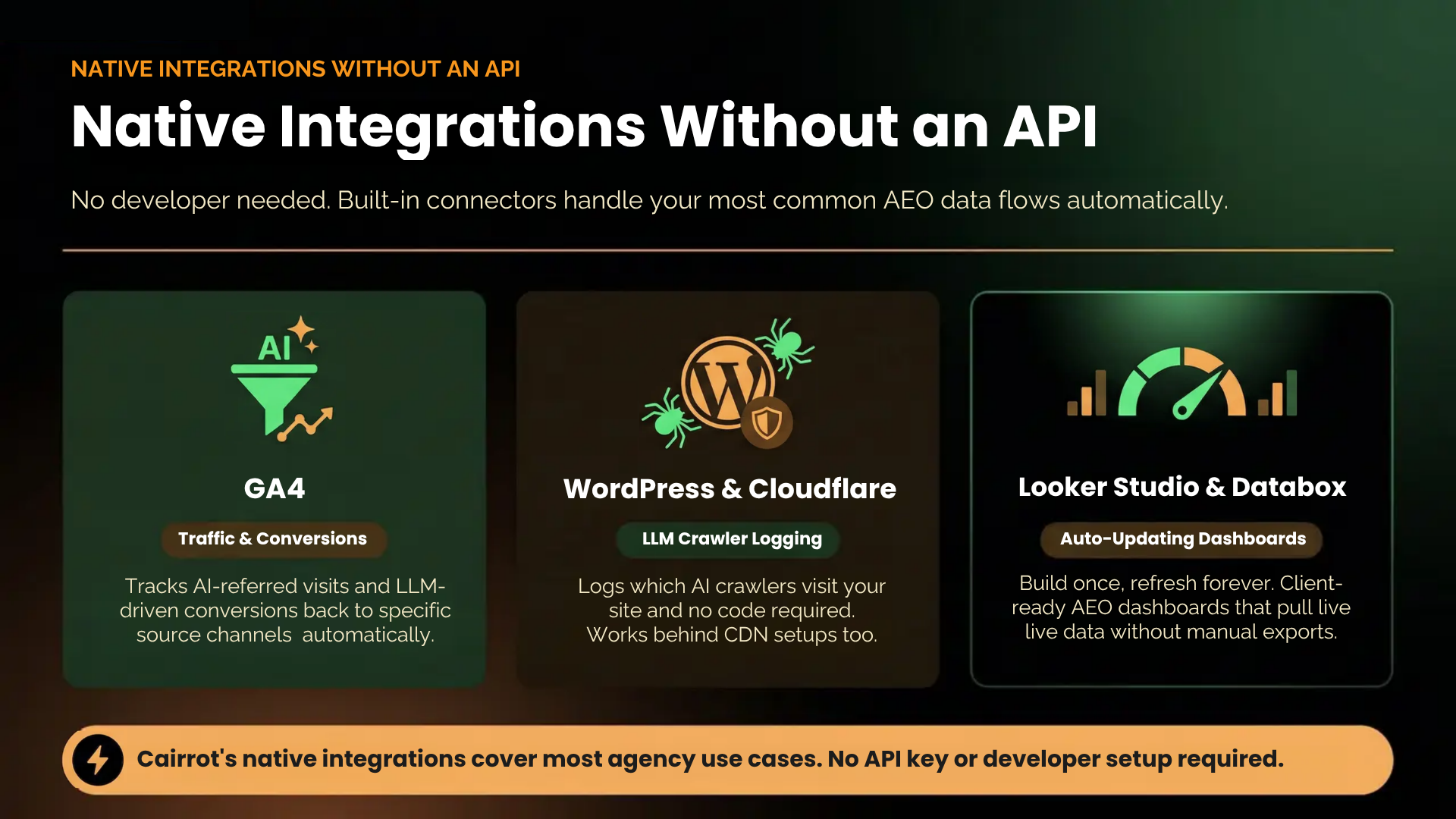
Not everything integration requires developer work. Cairrot’s native integrations handle the most common connections automatically, including: GA4 for AI-referred traffic, Google Search Console for AEO insights, the WordPress plugin and Cloudflare integrations for AI crawl logging, and native connectors for Looker Studio and Databox. Reach for the API when you need something these don’t cover, which is usually custom client reporting, data warehousing, or agentic workflows.
Here is an Example of how Cairrot connects to Databox:
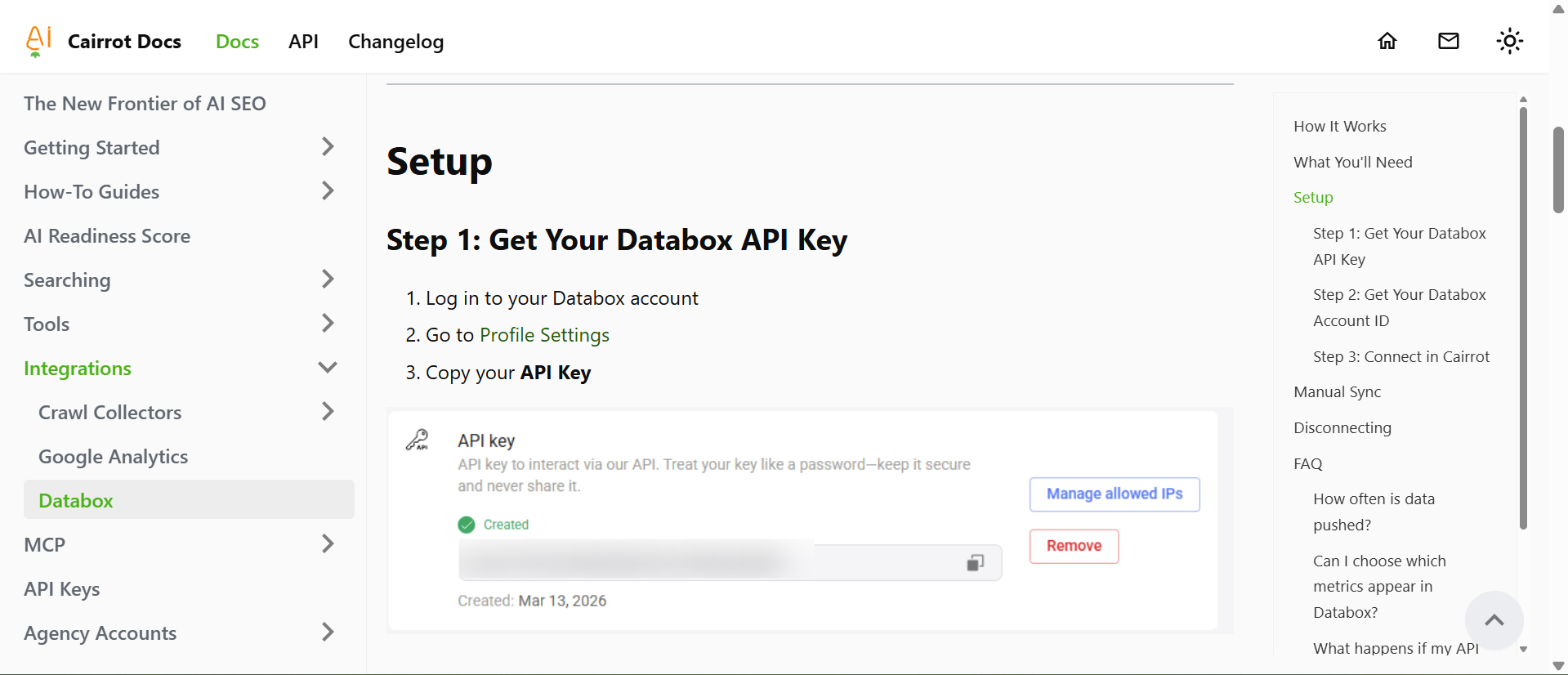
Step 1: Get Your Databox API Key
- Log in to your Databox account
- Go to Profile Settings
- Copy your API Key
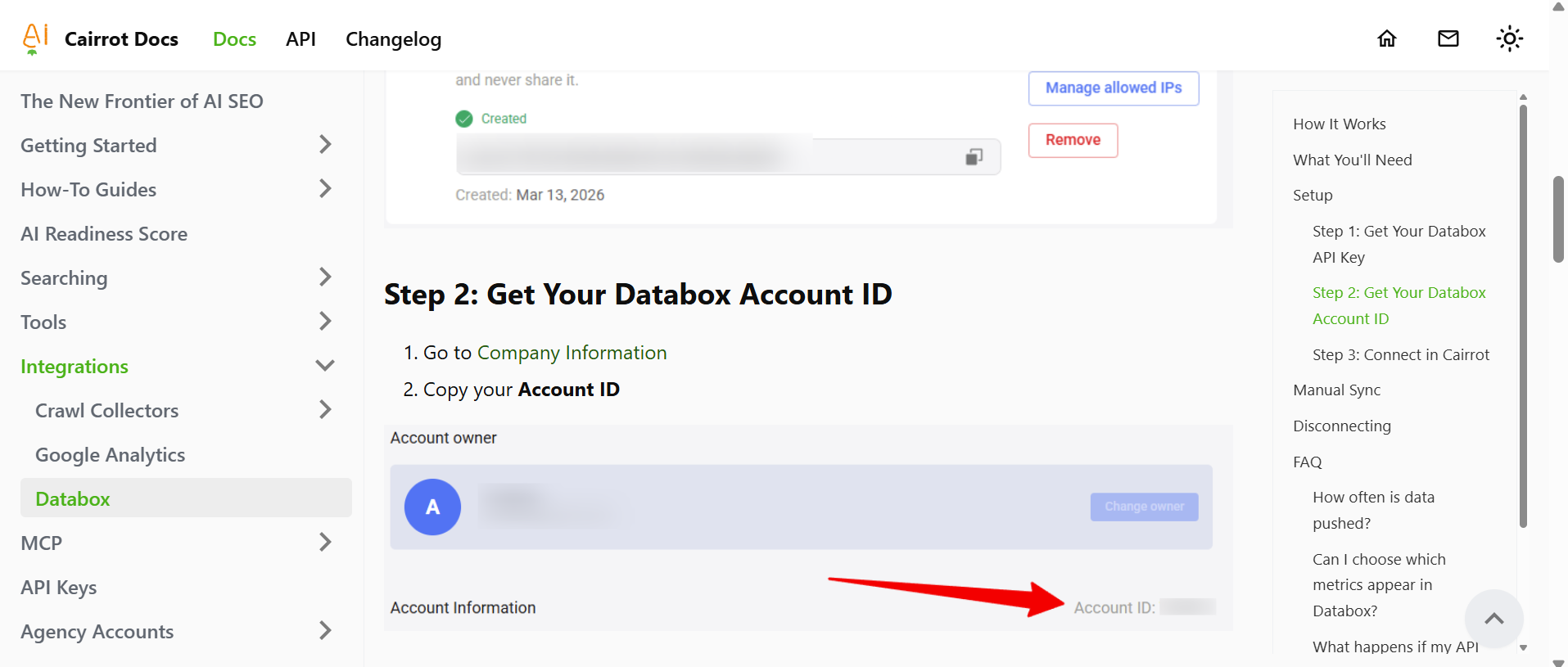
Step 2: Get Your Databox Account ID
- Go to Company Information
- Copy your Account ID
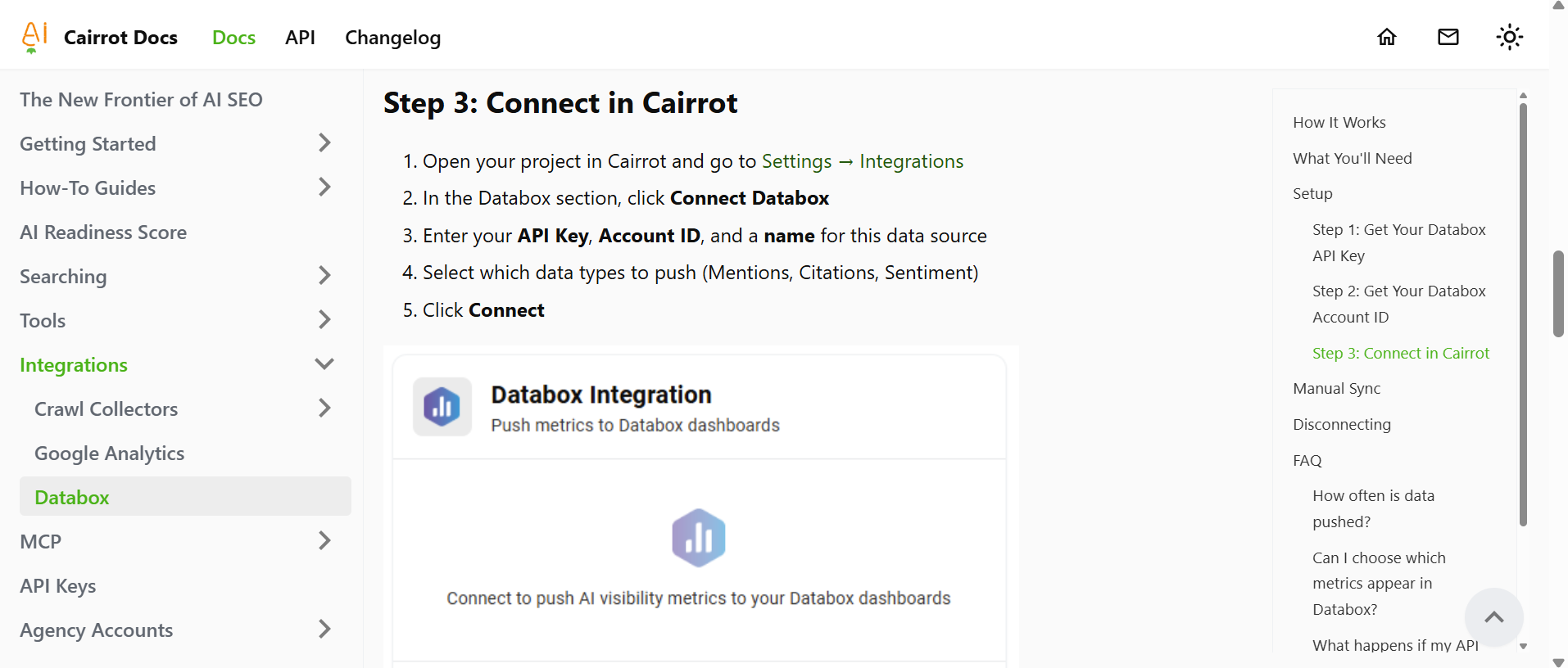
Step 3: Connect in Cairrot
- Open your project in Cairrot and go to Settings → Integrations
- In the Databox section, click Connect Databox
- Enter your API Key, Account ID, and a name for this data source
- Select which data types to push (Mentions, Citations, Sentiment)
- Click Connect
FAQ
How do marketing services use an API to report AEO for multiple clients?
Most agencies connect the AEO API to Looker Studio or Power BI, build one templated client report, and duplicate it per account with each client’s specific data feeding in. The API handles data refresh automatically, so weekly or monthly client reports deliver without anyone on the team manually pulling numbers. Larger agencies pipe the same data into a central data warehouse and build reporting dashboards on top of it for portfolio-wide visibility.
Which AEO/GEO tools offer an API for custom dashboards and reports?
Cairrot, Profound, Scrunch AI, Conductor, and Semrush’s AI Visibility Toolkit offer APIs. Peec AI has one in beta, which is restricted to Enterprise customers. Otterly AI and AthenaHQ don’t offer APIs. Always confirm API access is included on the specific plan you’re buying, since several platforms gate it behind higher tiers.
Do any AEO API tools offer developer services to help me implement my custom reports?
Cairrot offers AEO developer support for agencies, including implementation help for custom dashboards, Looker Studio builds, and multi-client reporting setups. Enterprise plans on Profound, Scrunch, and Conductor typically include some level of implementation support as part of onboarding. Otherwise, most platforms leave implementation to the buyer.
Which AEO tools offer Claude and Grok tracking?
Cairrot tracks Claude on Pro and Enterprise plans. Grok is available as an add-on for any plan. Profound and Scrunch include Claude on higher tiers. Peec AI includes Claude as an add-on. Grok coverage is limited across most competitors and often absent entirely on entry plans.
Do any AEO/GEO tracking tools offer a free trial so I can try them out before I purchase?
Yes. Cairrot offers a free trial that includes your first AI Visibility Report at no cost and no credit card required. Otterly AI offers a 14-day trial with no credit card. Profound, Scrunch, and Peec AI all offer trials but require a credit card before you can access the dashboard.
Get Help Integrating Your AEO API Into Your Workflow
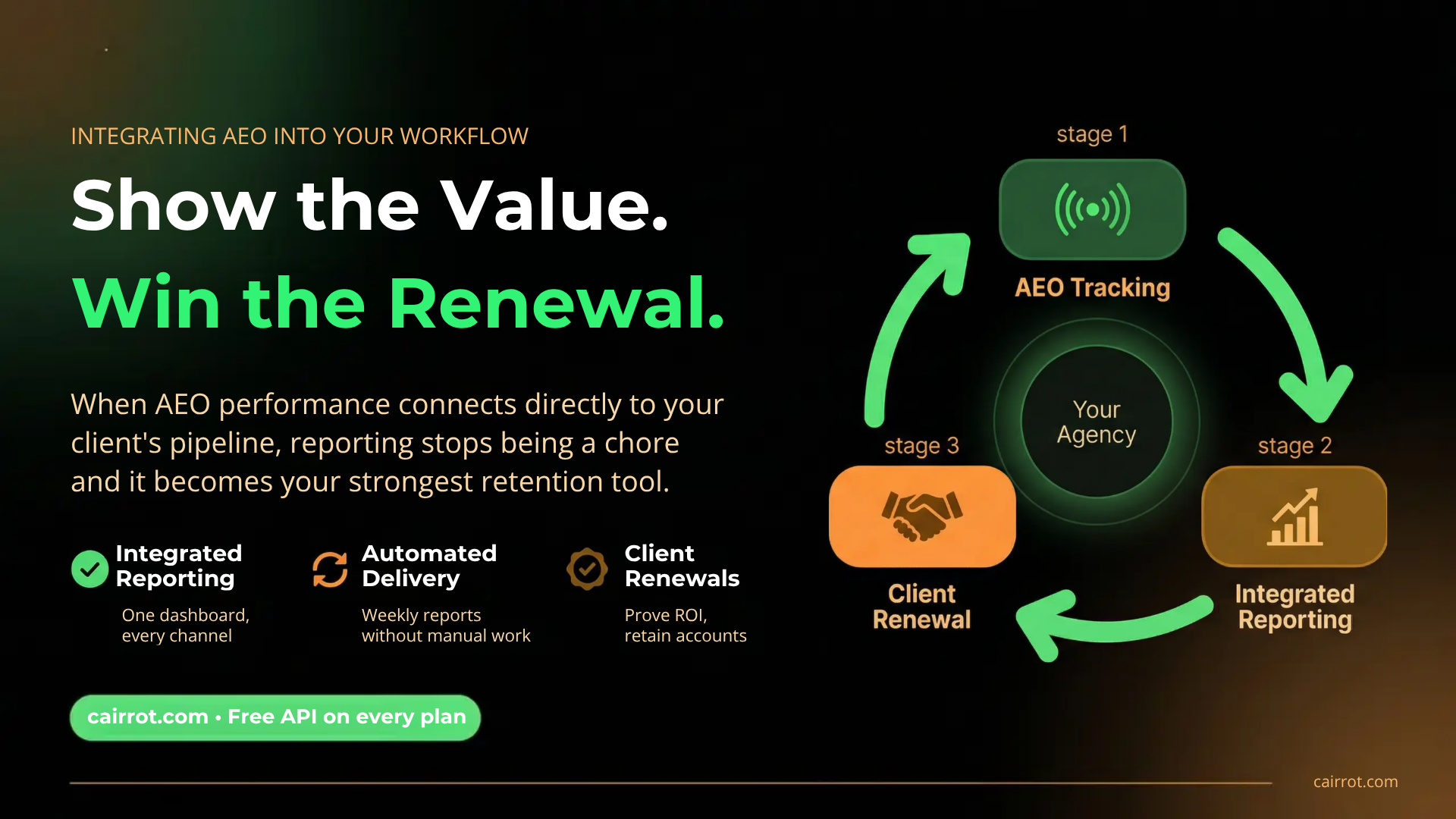
AI search is the fastest-growing channel your clients have, and the agencies winning renewals in 2026 are the ones showing clients exactly how AEO performance ties back to pipeline. The API is what makes that story tellable.
Cairrot is the only AEO platform that includes a free unlimited API on every plan, with AEO developer support, multi-client management, and wholesale pricing for agencies running AEO as a service line.
Need help setting up custom reports, Looker Studio integrations, or a white-labeled client dashboard? Contact us about AEO developer support and the Garden Partner program.