
The way potential clients find your business is changing fast.
Buyers and decision-makers are losing interest in traditional search and relying on AI search and LLMs like ChatGPT and Gemini. Gartner predicts traditional search engine volume will drop by 25% by the end of 2026 due to AI tools.
In 2025, Google’s dominant search market share dropped below 90% for the first time since 2015. The ratio of Google users to AI search users has been halved in just 12 months, shrinking from 10:1 to 4.7:1.
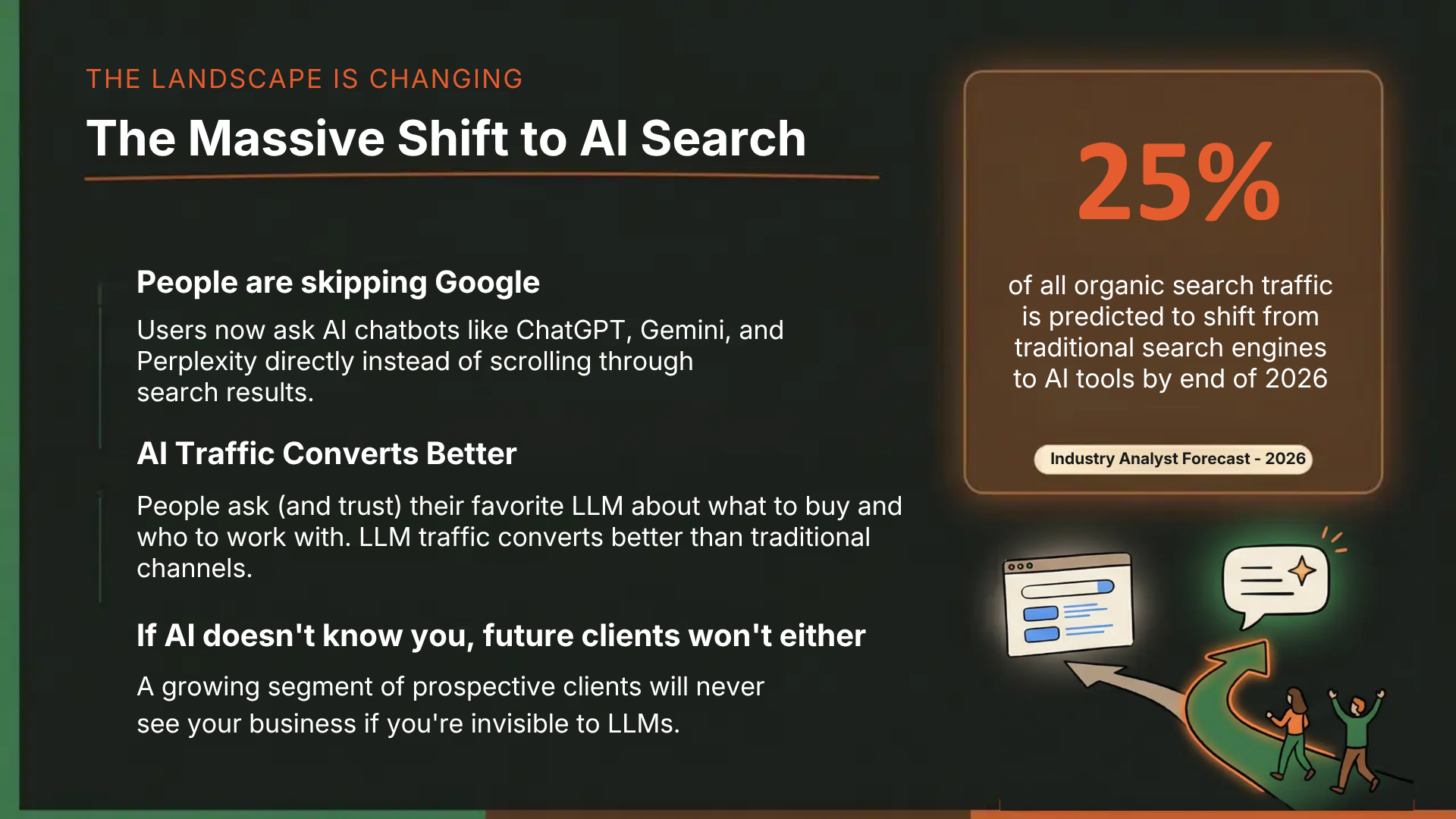
For businesses, this means that if an LLM doesn’t know your business exists, a growing segment of prospective clients won’t either.
That’s where Answer Engine Optimization (AEO) and Generative Engine Optimization (GEO) comes in. AEO/GEO are interchangeable terms that refer to the practice of optimizing your company’s online presence so AI-powered search platforms cite, reference, and recommend your brand when generating answers. And just like traditional SEO, you can’t improve what you don’t measure.
This guide walks you through the set up for AEO tracking and reporting dashboards with a tool like Cairrot (one of the most accessible and affordable AI visibility tools for AEO tracking and reporting available). By the end of this walkthrough, you’ll have a free AEO report in hand, giving you a clear baseline of where your business stands across the major LLMs.
New Metrics Marketers Use to Report AEO/GEO Growth
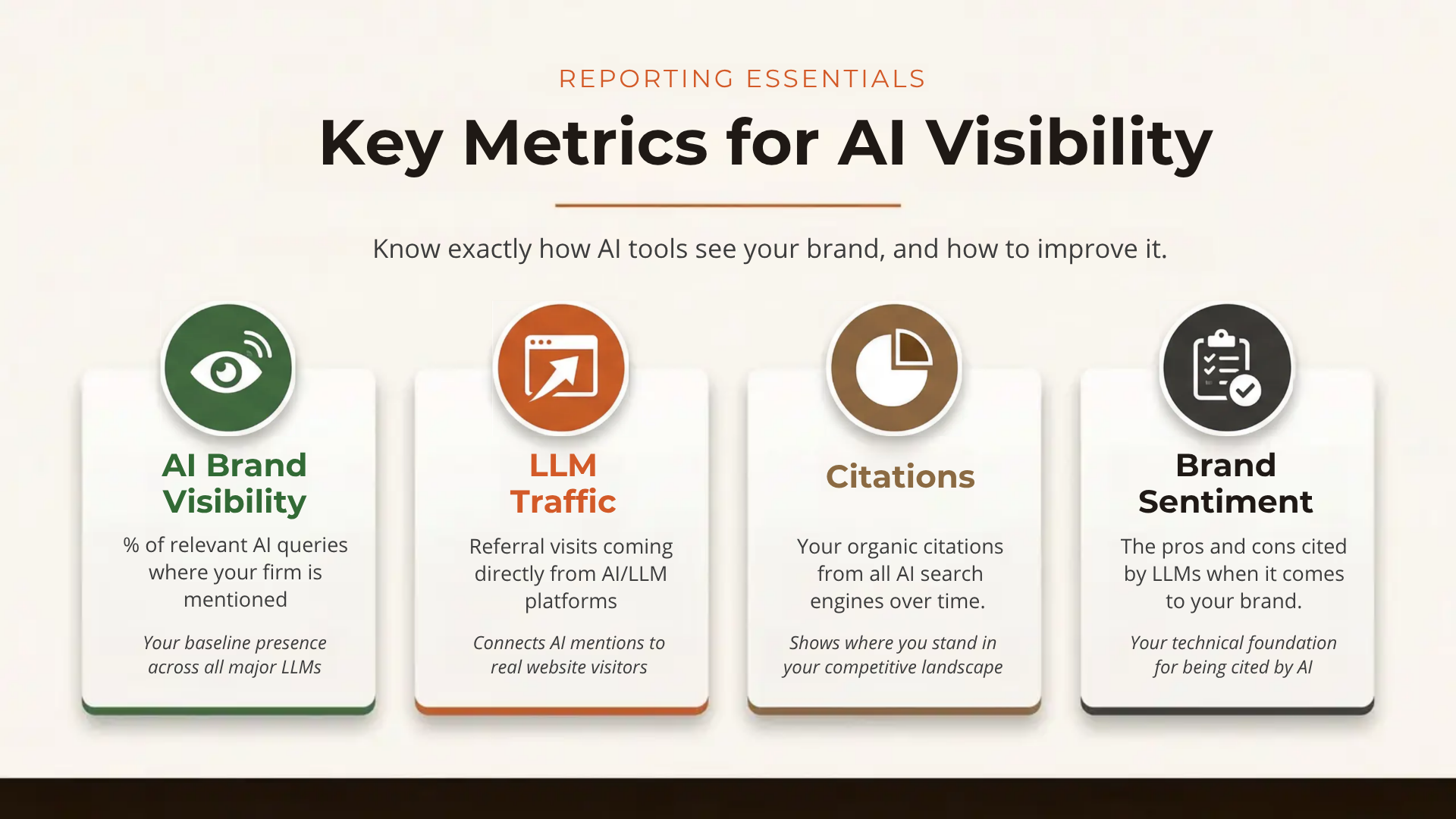
Unlike traditional SEO, which focuses on ranking for keyword-based searches, AEO focuses on earning citations, mentions, and referral traffic from AI-generated answers. The most important AEO metrics to report to stakeholders include:
- AI Brand Visibility: The percentage of relevant AI prompts where your firm is mentioned or cited.
- LLM Traffic: Referral traffic coming from AI platforms like ChatGPT, Perplexity, Gemini, Claude, Grok, and more.
- Brand Sentiment: How your firm’s AI mentions compare to competitors in your practice area.
- Citations: How often your website is cited across all AI engines for all prompts.
Tools like Cairrot track all of these AEO metrics (and many more) in a single dashboard, giving businesses and their marketing teams the data they need to compete in the AI search era.
AI Brand Visibility
AI Brand Visibility shows how often you are mentioned or cited by LLMs for target prompts of your choice. These prompts should be high-intent queries closely related to your products and services. Improving your brand visibility in these high-intent prompts correlates closely with increased traffic and conversions coming from LLM sources.
LLM Traffic
Tracking visibility in a set of target prompts doesn’t mean much if you don’t correlate that with actual traffic and outcomes. If the AEO API you are using does not have actual traffic data, be sure to connect with your GA4 or other attribution tool. GA4 and Google Search Console are native integrations in Cairrot, so API users can pull both AI visibility and LLM traffic metrics from one place.
Brand Sentiment in AI
If you aren’t telling your story online, others will. LLMs forms an image of your brand based on the information it finds online. AI sentiment tracking helps AEO strategists come up with content and keyword optimizations to address criticisms and emphasize competitive advantages.
LLM Citations
AI brand visibility metrics correlate closely with real citation data and LLM traffic. But to have a complete picture, your AEO tool needs to track anytime an AI bot crawls the website. This extends beyond the standard LLMs and includes Amazonbot, Meta, and other rising AI platforms.
Methods for Tracking AEO metrics
There’s more than one way to skin a cat and AEO reporting is no different. Your options range from fully-manual setup to outsourcing the task entirely to a 3rd party tool:
- Manually build an internal tracking UI, connect it to each LLM you want tracked, and connect your other data sources for comprehensive reporting.
- Create custom scripts that run through GA4 or other attribution sources and generate reports.
- Use an established AEO tool with an API for customization and report exports.
We’re going to show you how it looks to set up your AEO/GEO reports in a tool with API access. We are using Cairrot in this example.
How Check Your AI Visibility With a Free AEO Report
Want to test out an AEO tracker before you make a purchase? Not many tools provide an option, but Cairrot offers a free trial that includes your first AI Visibility Report at no cost. The onboarding process is guided by an AI-assisted setup wizard that takes roughly five minutes to complete. Here’s every step of the process.
Start with a Free Report on Cairrot
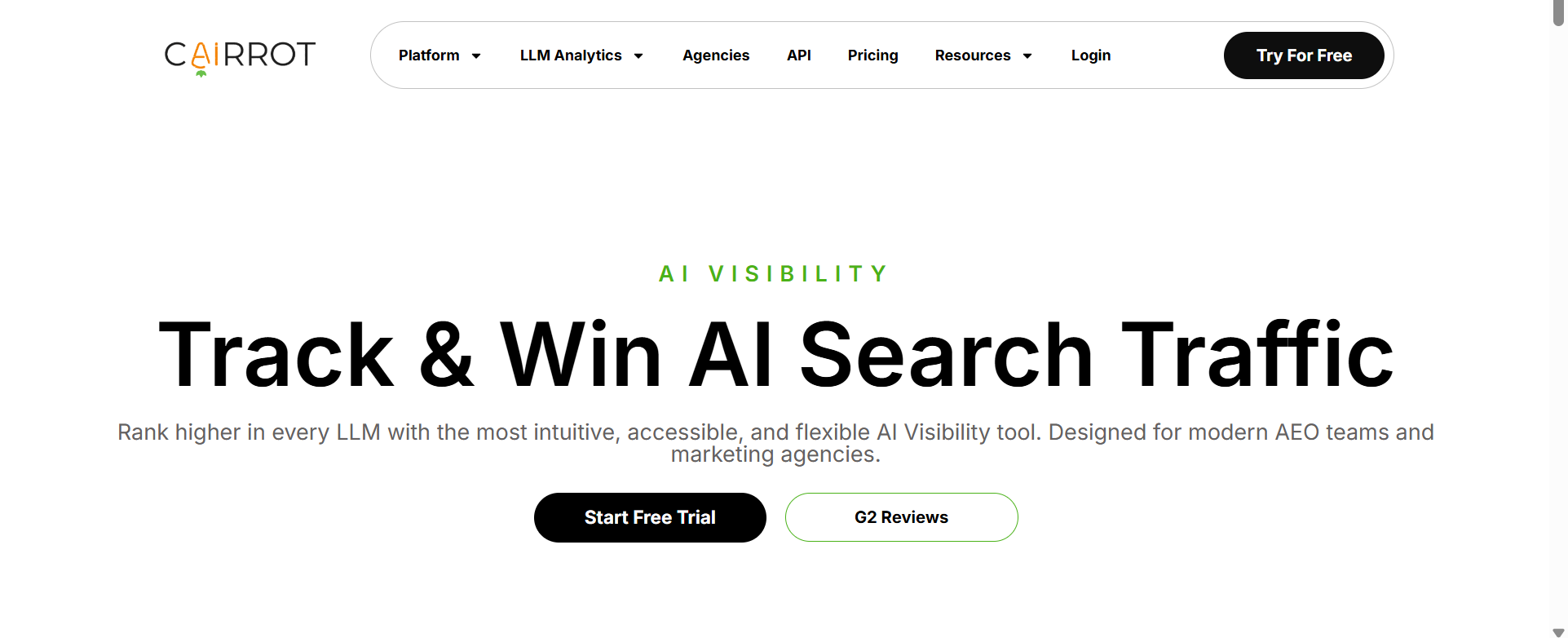
Navigate to cairrot.com and click Start Free Trial or Try For Free from the homepage navigation. You’ll be prompted to create an account using your email or Google sign-in. No credit card is required.
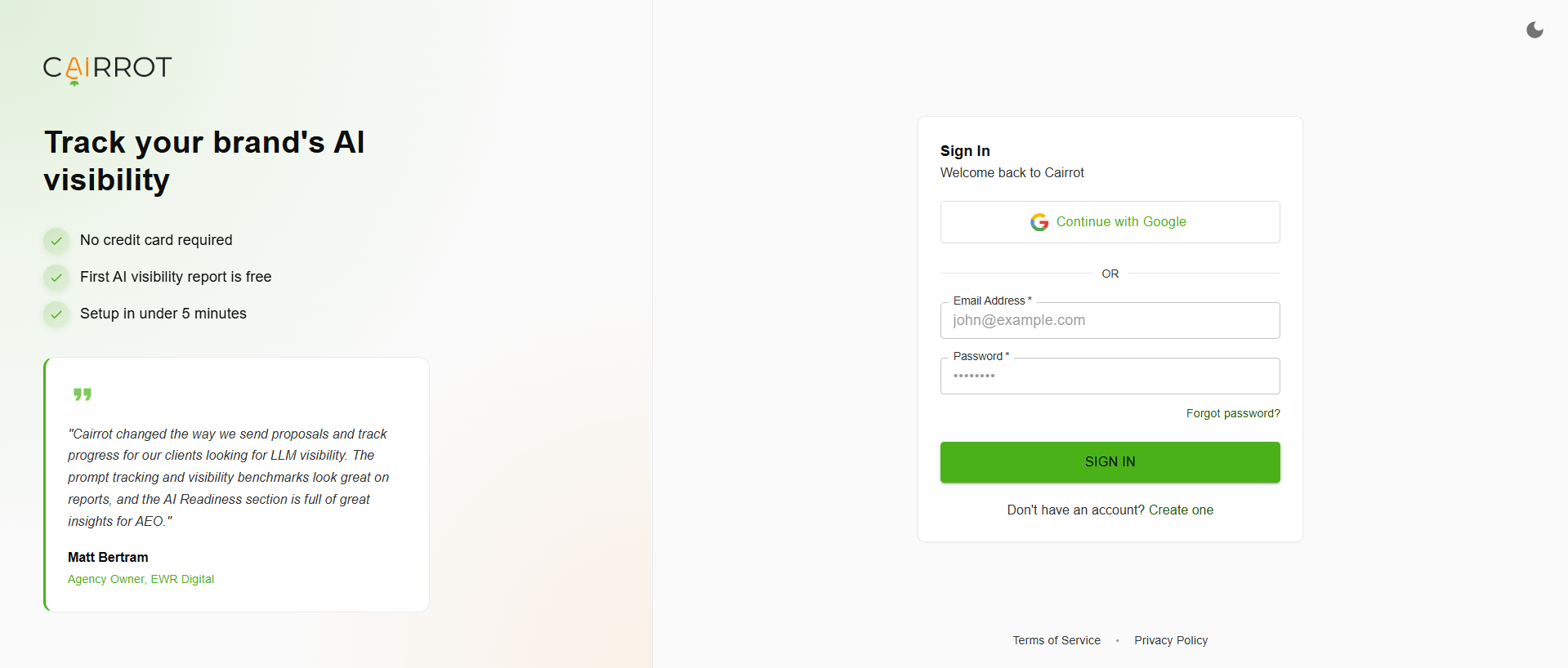
After registering, you’ll land on the account setup screen. Continue with Google for the fastest setup.
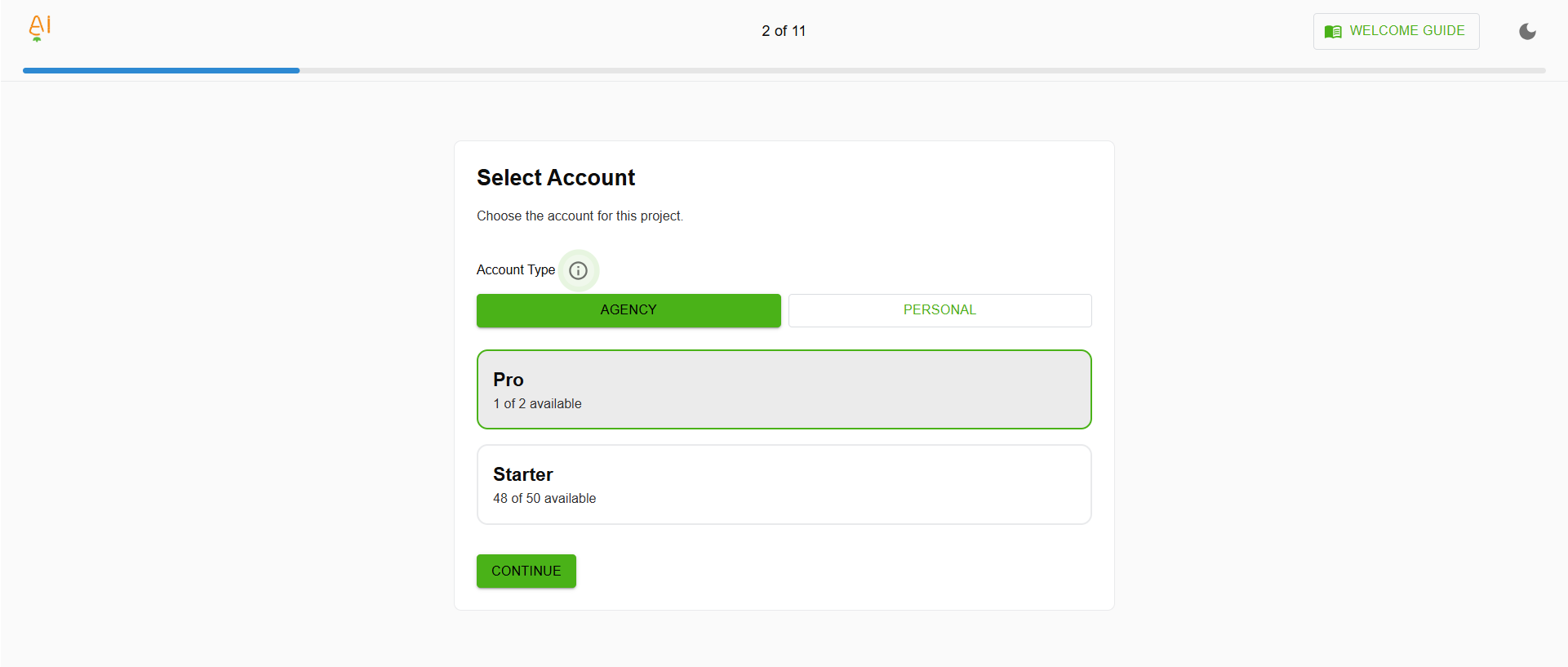
If it is your first time using Cairrot, you will automatically set up a Personal report. If you are an agency or freelancer, reach out to Cairrot to try out the special Agency interface, which includes multi-client management and white label options.
Choose Your Setup Experience
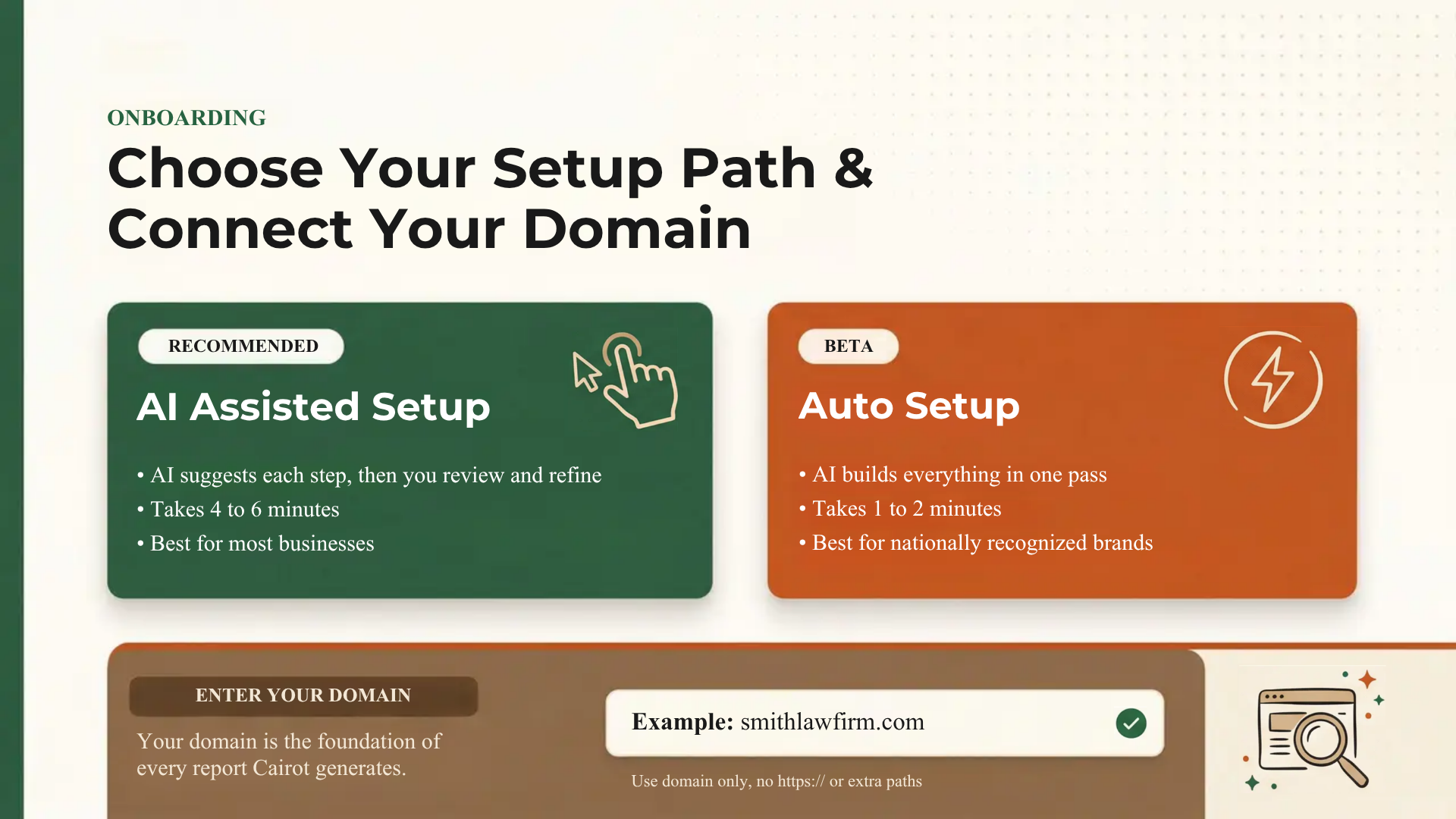
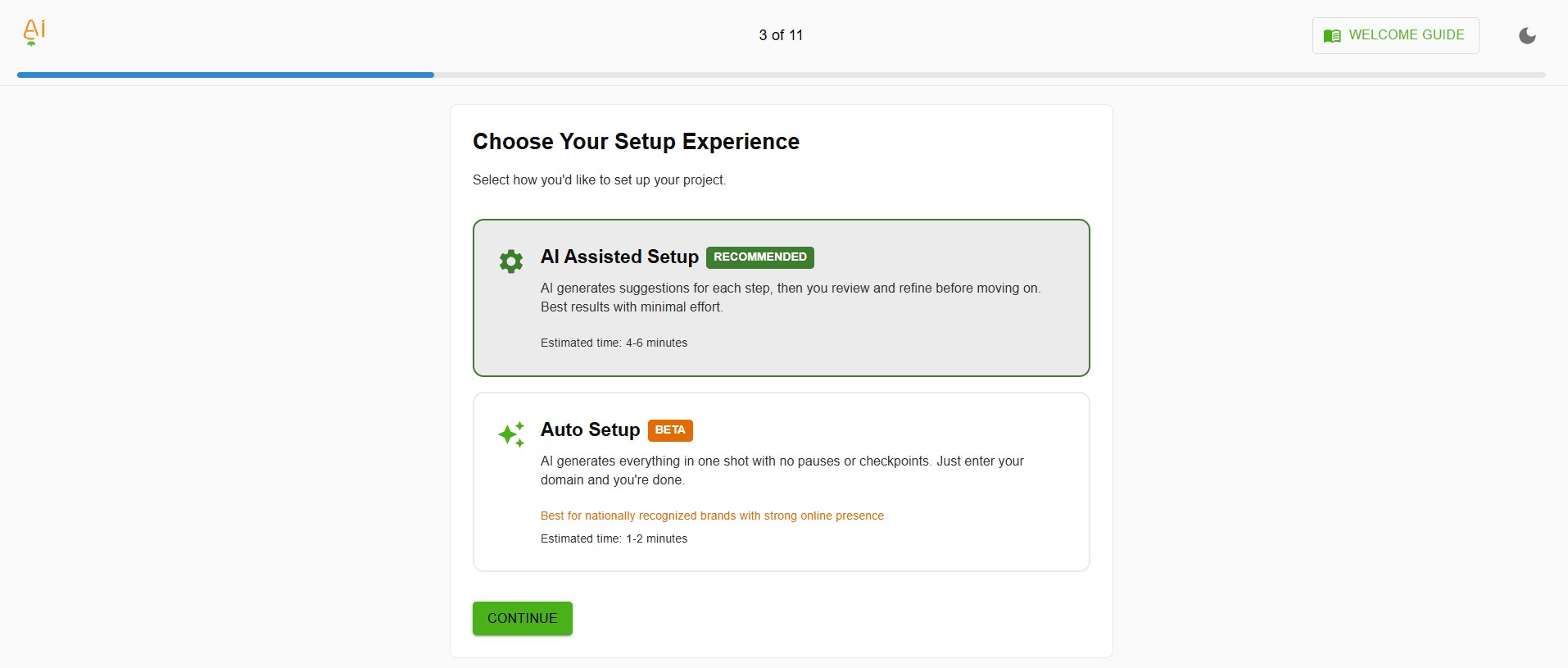
Cairrot offers two onboarding paths:
- AI Assisted Setup (Recommended): The AI generates suggestions for each step of the process and lets you review and refine before moving on. This typically takes four to six minutes and gives you full control over what goes into your profile.
- Auto Setup (Beta): The AI generates everything in one pass with no pauses. Just enter your domain and you’re done in one to two minutes. Best suited for nationally recognized brands with a strong online footprint.
For most businesses, the AI Assisted Setup is the better choice. It lets you verify that the AI accurately understands your firm’s practice areas, location, and competitive landscape before building your tracking profile.
Enter Your Website & Description
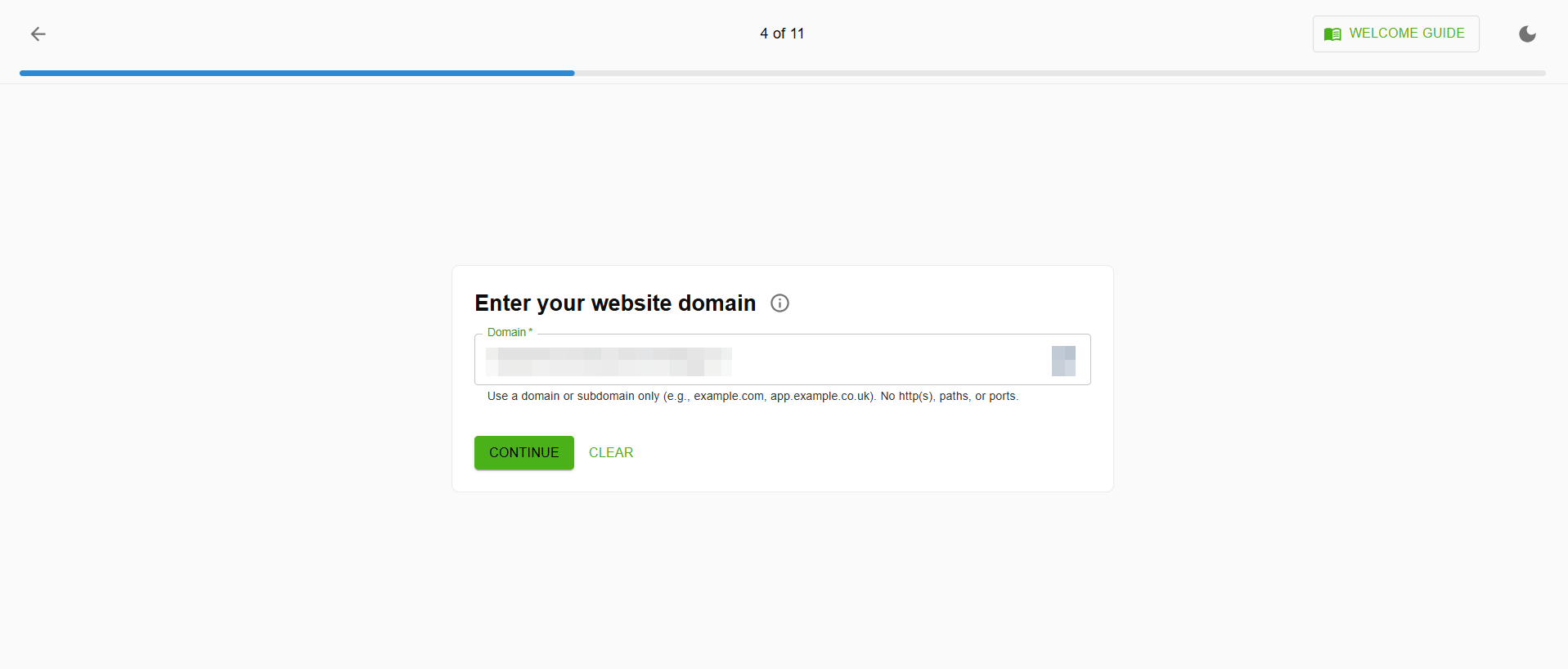
Enter your business’s domain (for example, smithlawfirm.com). Use a domain or subdomain only, no https://, paths, or ports. Cairrot uses your domain to crawl and analyze your site’s content, structure, and AI readiness.
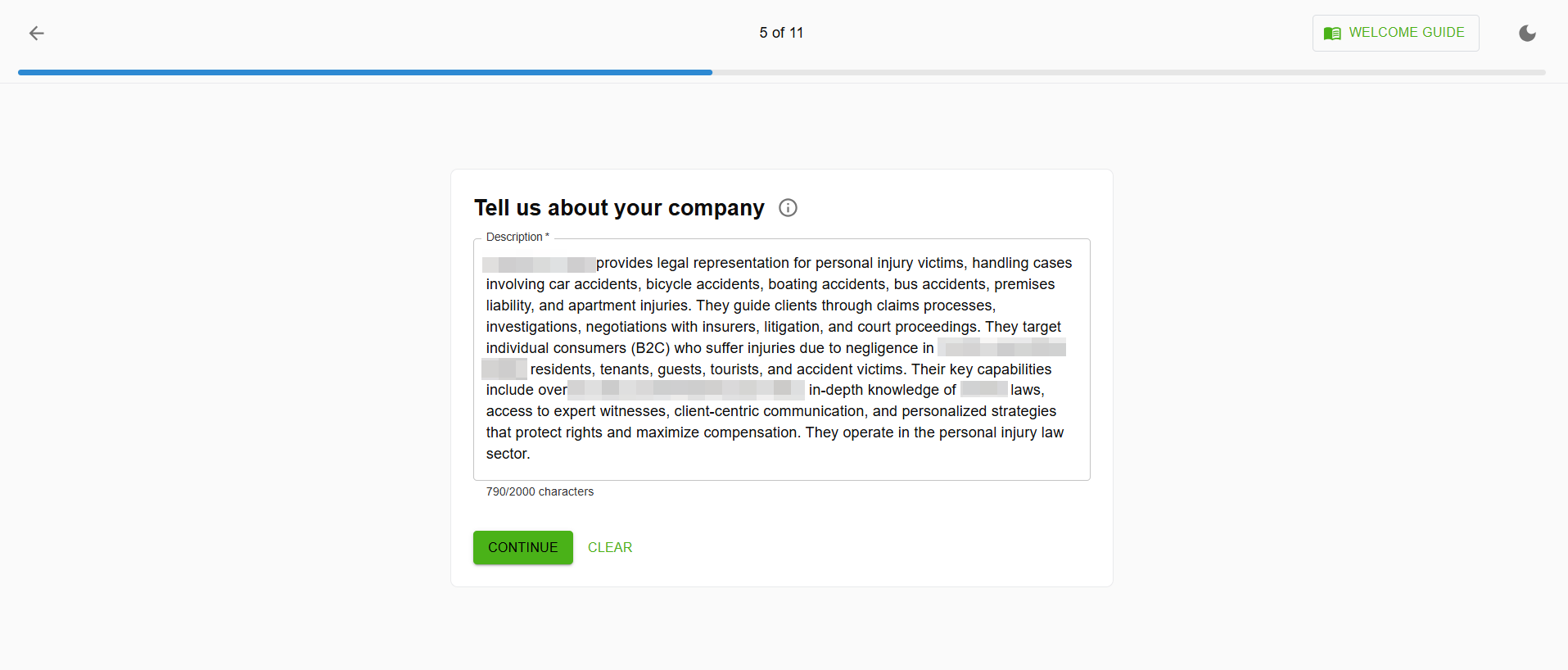
Cairrot’s AI will auto-generate a description of your firm based on the content it finds on your website. As an example, for a personal injury law firm, this might include your practice areas (car accidents, bicycle accidents, boating accidents, premises liability), your target clients (B2C consumers who have suffered injuries), and your key capabilities (litigation, negotiations, court proceedings).
Review this description carefully and edit it if needed. The more accurate your company profile, the more relevant your AI prompts and tracking will be.
Check Your Company’s Tracked Brand Names
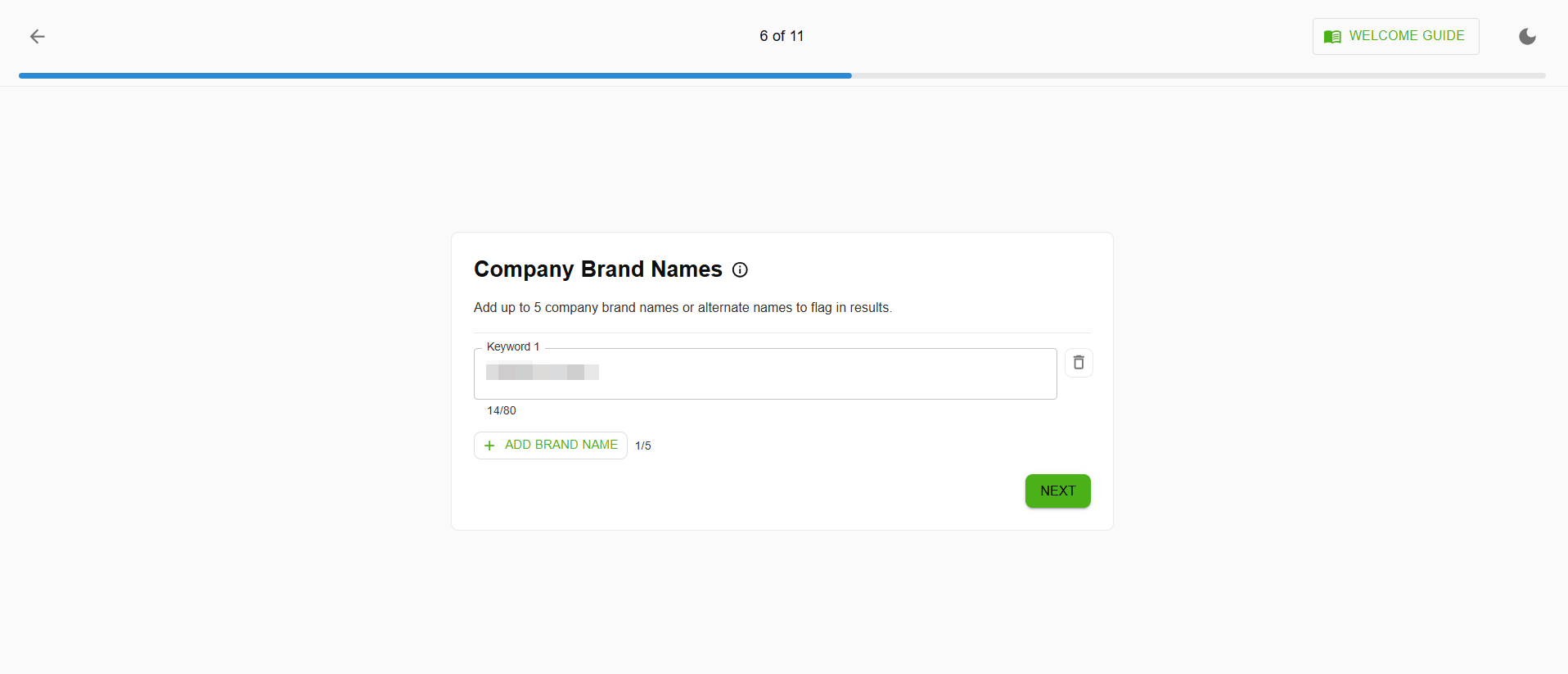
Enter up to five brand names or alternate names that your company is known by. This helps Cairrot flag mentions of your brand across LLM responses, even when AI tools refer to your firm by a shortened name, abbreviation, or alternate spelling.
LLMs don’t always use your firm’s full legal name. If your business is a law firm that goes by both “Smith & Associates” and “Smith Law,” adding both ensures you capture every mention in your visibility tracking.
Select Your Topics
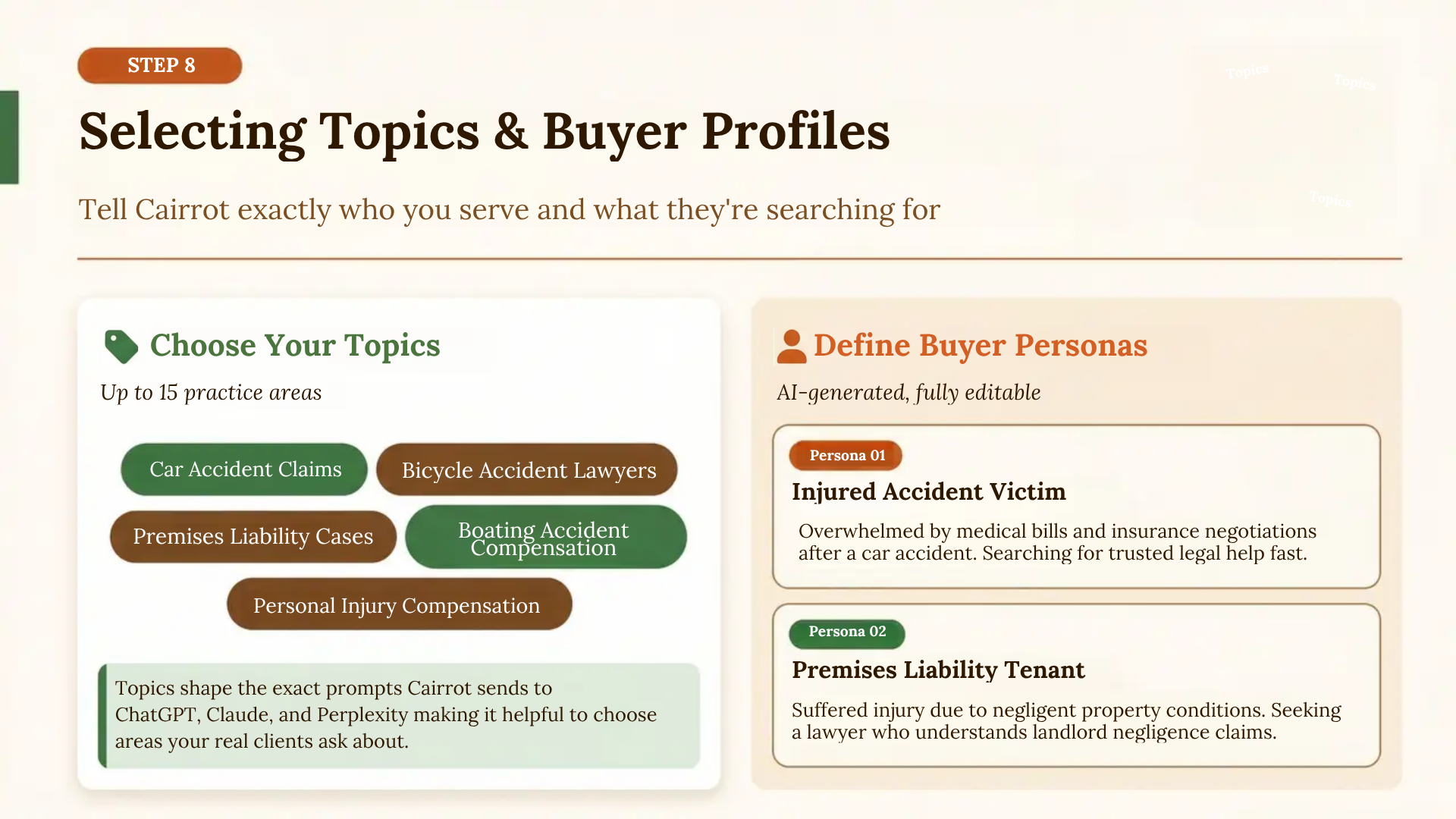
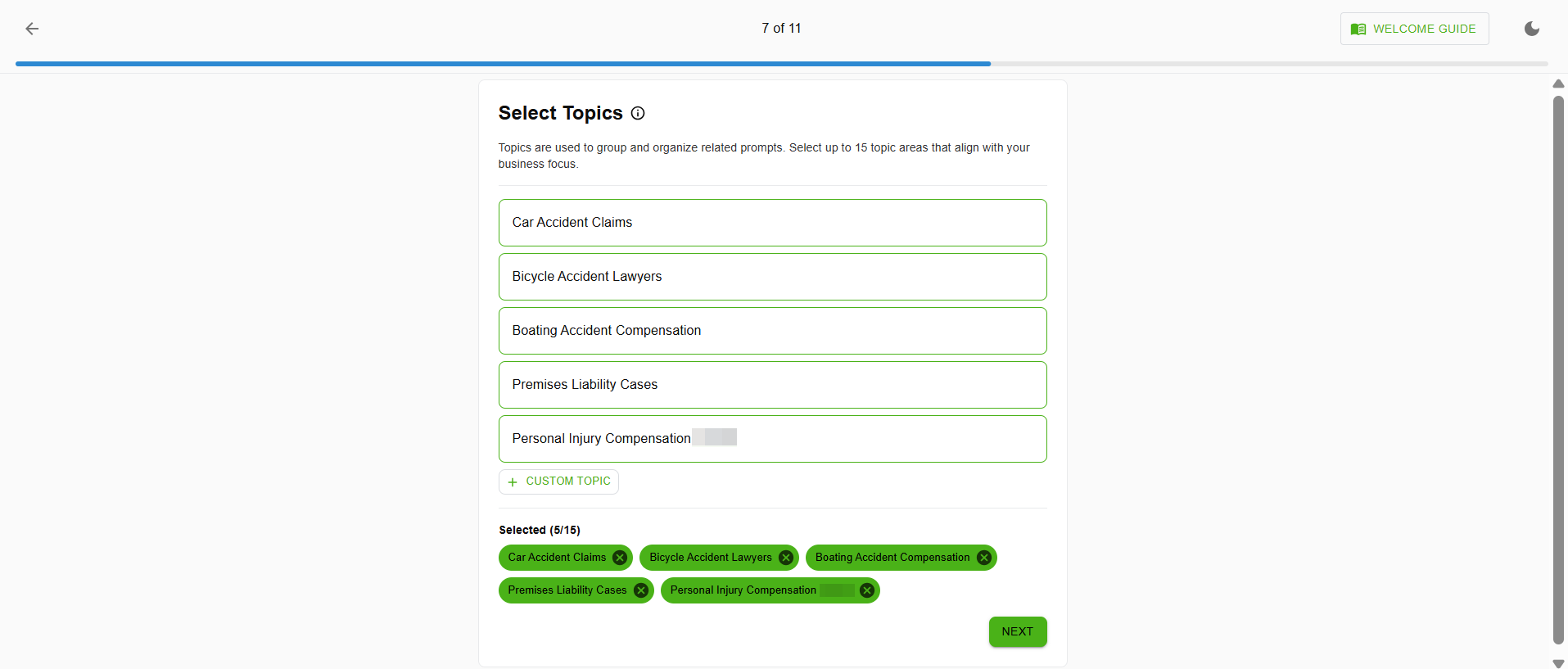
Choose up to 15 topic areas that align with your business’ focus. For a personal injury firm, these might include topics like Car Accident Claims, Bicycle Accident Lawyers, Boating Accident Compensation, Premises Liability Cases, and Personal Injury Compensation.
You can also create custom topics. These topics are used to organize your AI prompts and group your tracking data so you can see visibility broken down by practice area.
Check Your Buyer Profiles
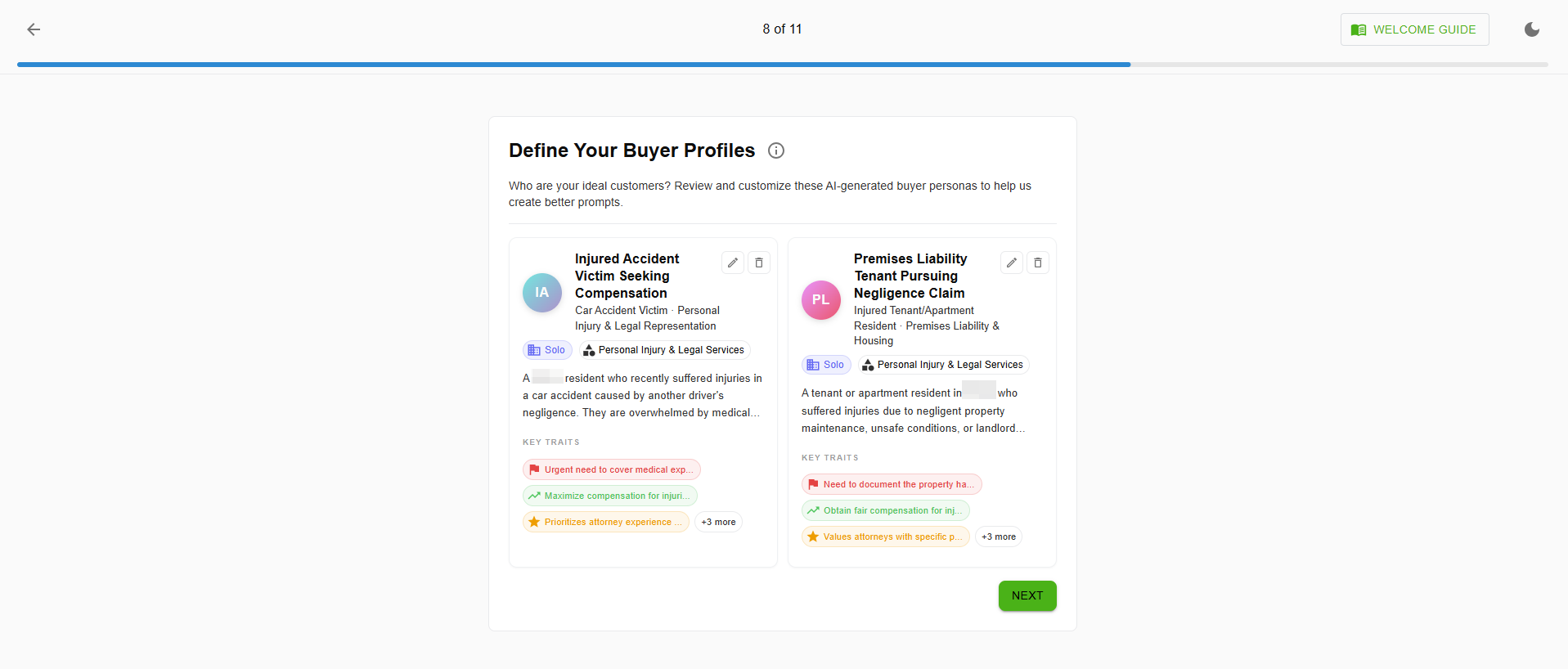
Cairrot generates AI-powered buyer personas based on the topics and company description you provided. For a personal injury firm, these might include profiles like:
- Injured Accident Victim Seeking Compensation: A resident who suffered injuries in a car accident and is overwhelmed by medical bills, insurance negotiations, and the claims process.
- Premises Liability Tenant Pursuing Negligence Claim: A tenant or apartment resident who suffered injuries due to negligent property maintenance, unsafe conditions, or landlord negligence.
Each persona includes key traits and motivations that mirror how real clients search for legal help. You can edit these profiles or add new ones to match your firm’s ideal client base.
Buyer profiles influence the prompts Cairrot generates. When your personas accurately reflect your real clients, the AI prompts better simulate the actual questions people ask ChatGPT and other tools when looking for legal help, making your tracking data far more meaningful.
Note: Later on, you will bulk generate prompts to track based on the Buyer Profiles you’ve set up.
Check, Edit, and Add Target Prompts
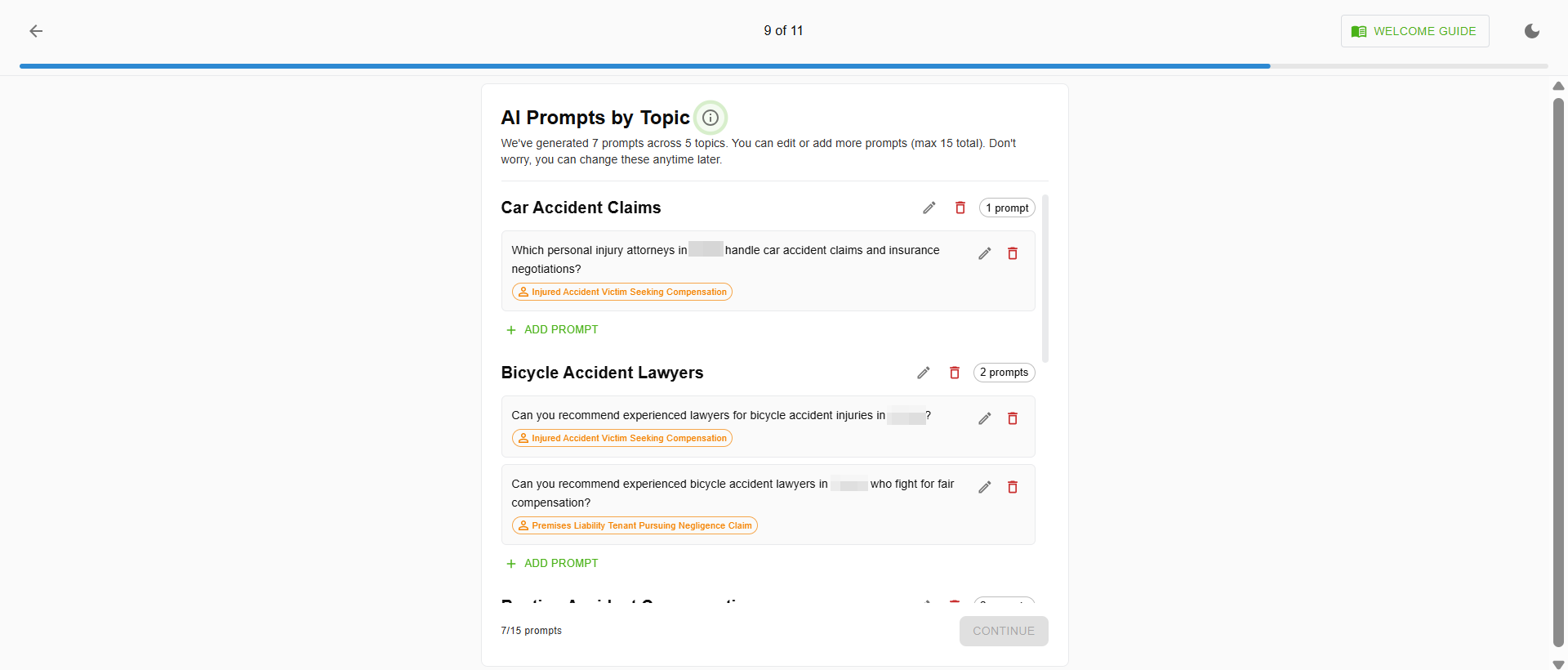
Based on your topics and buyer profiles, Cairrot auto-generates a set of AI prompts and the exact questions it will ask LLMs like ChatGPT, Claude, and Perplexity to test whether your firm appears in the responses. These prompts are organized by topic and can be edited or expanded (up to 15 total).
Example prompts for a personal injury firm might include:
- Car Accident Claims: “Which personal injury attorneys in [city] handle car accident claims and insurance negotiations?”
- Bicycle Accident Lawyers: “Can you recommend experienced lawyers for bicycle accident injuries in [city]?”
Focus on high-intent prompts users would search just before making a purchase. The better your prompts mirror actual search behavior, the more actionable your visibility data becomes.
Confirm Your Competitors
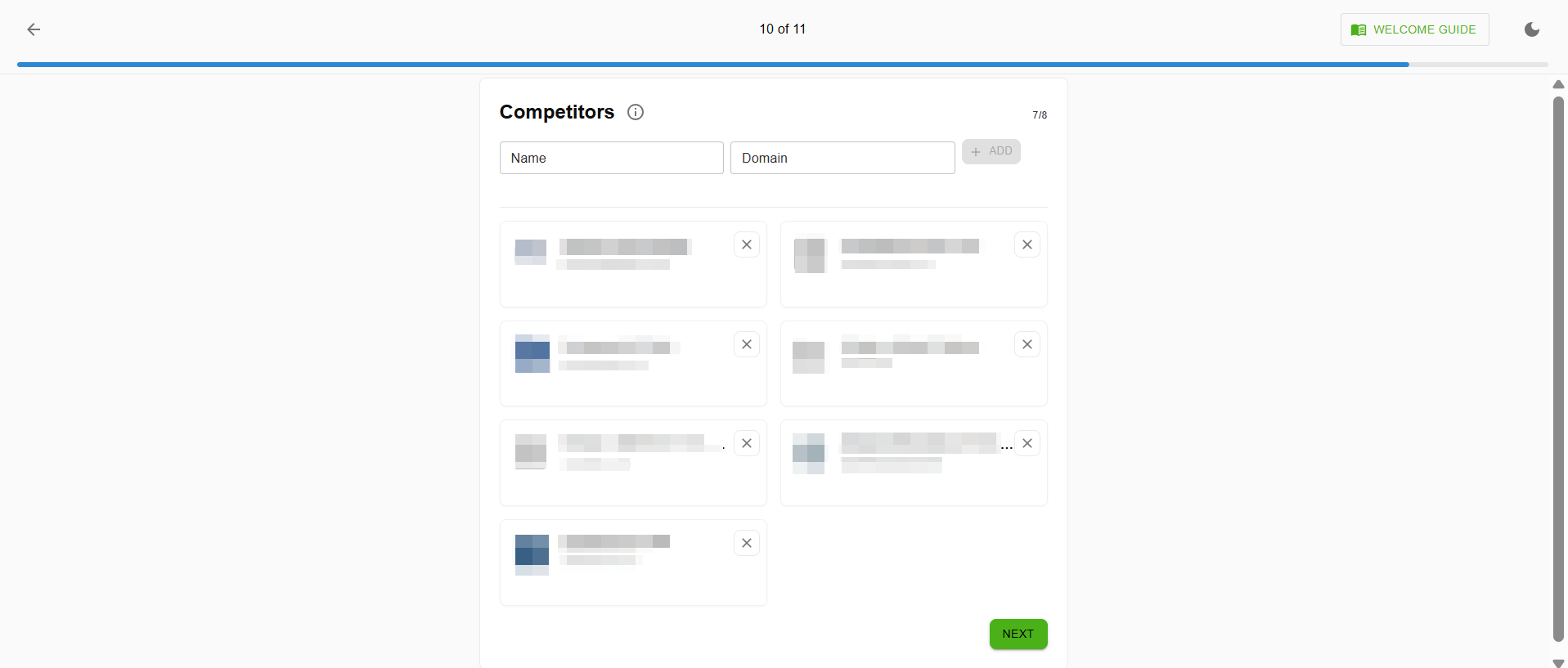
Enter the names and domains of competitors in your practice area and geography. Cairrot allows you to add multiple competitors so you can benchmark your AI visibility against theirs.
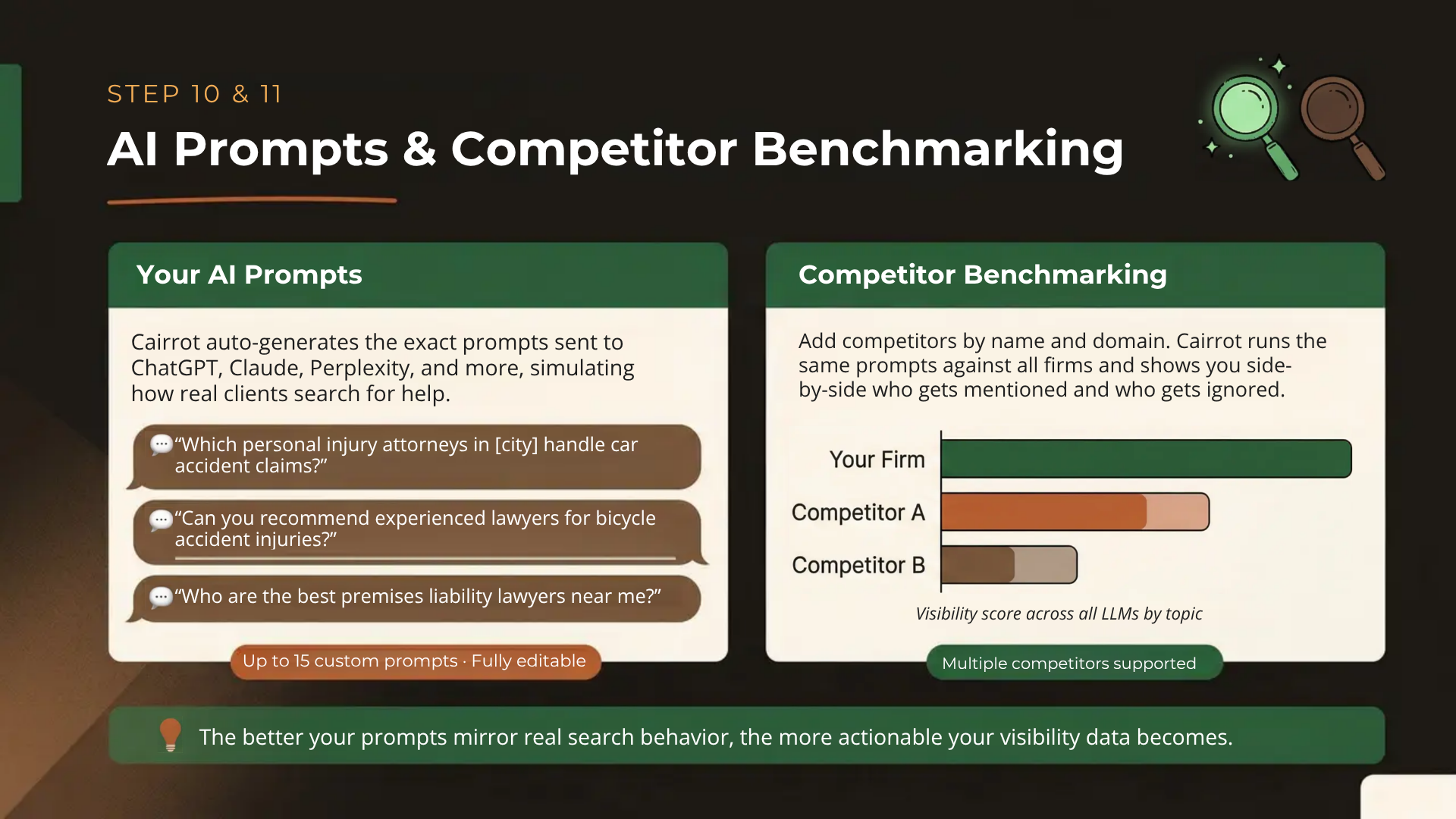
This step transforms your reports from a standalone snapshot into a competitive analysis. You’ll see exactly which firms are being mentioned more often by LLMs, and for which topics, so you know where to focus your optimization efforts.
Choose Your Plan and Generate Your LLM & AI Visibility Report
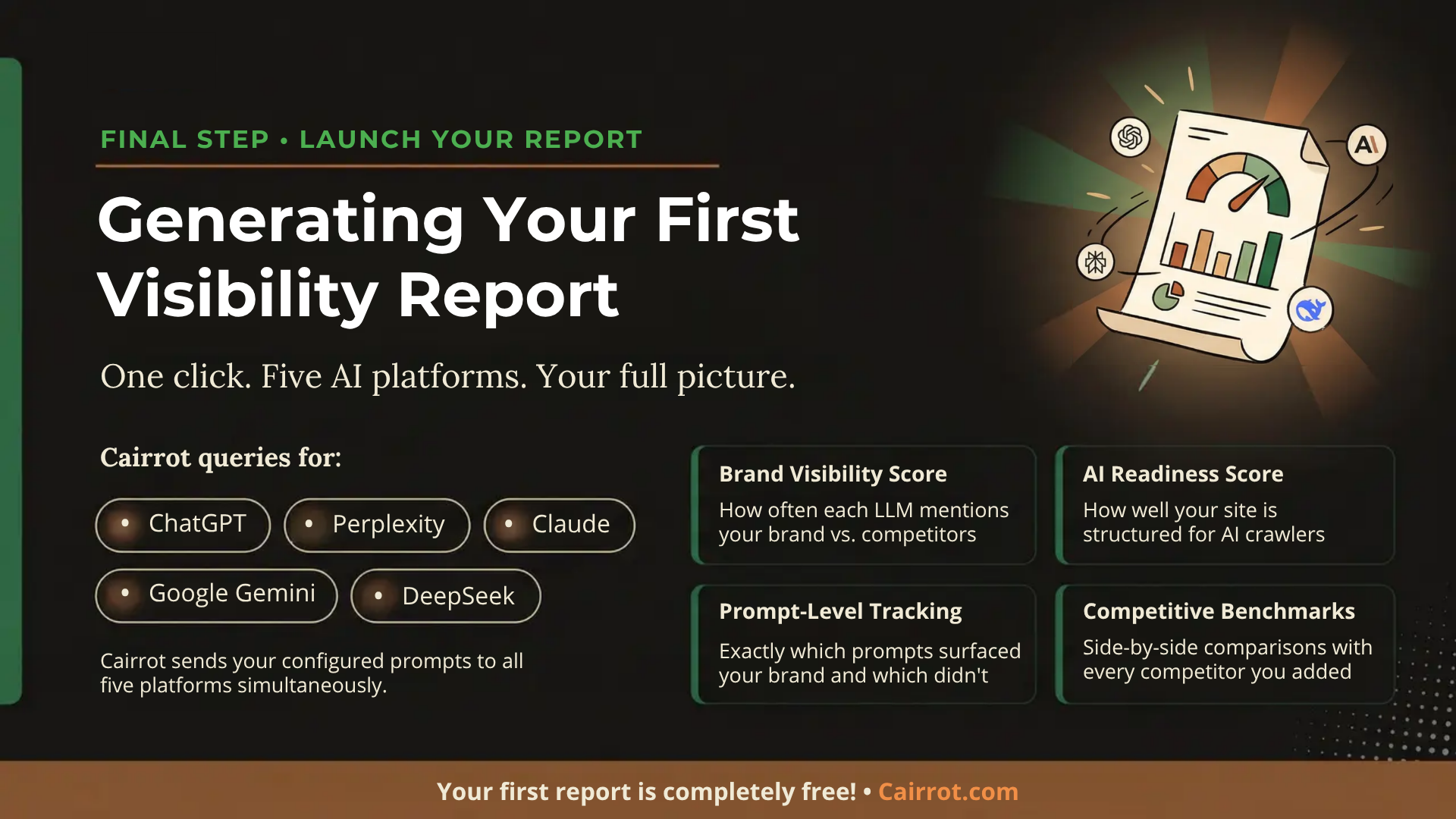
Once setup is complete, click to generate your first report. Cairrot will query multiple LLMs including; ChatGPT, Perplexity, Claude, Gemini, and DeepSeek, using the prompts you configured, and compile the results into a comprehensive AI Visibility Report.
Your free AEO report will include:
- Brand Visibility Scores: How often each LLM mentions your firm compared to competitors.
- AI Readiness Score: A technical assessment of how well your website is structured for AI crawlers.
- Prompt-Level Tracking: Prompt-by-prompt breakdown of where your firm appears (and where it doesn’t).
- Competitive Benchmarks: Side-by-side visibility comparisons with the firms you added earlier.
If you skip the free report and choose a paid plan, you will also have instant access to:
- Brand Visibility monitoring charts
- LLM Traffic Dashboard (Google Analytics integration)
- API to connect to anything you want
- Additional LLM tracking options like Claude, Grok, Gemini, DeepSeek, and more
- Unlimited customization options via Cairrot’s growing list of native integrations, world-class SDK, and drag-and-drop dashboard builders.
Integrations for Better AEO/GEO Analytics Over Time
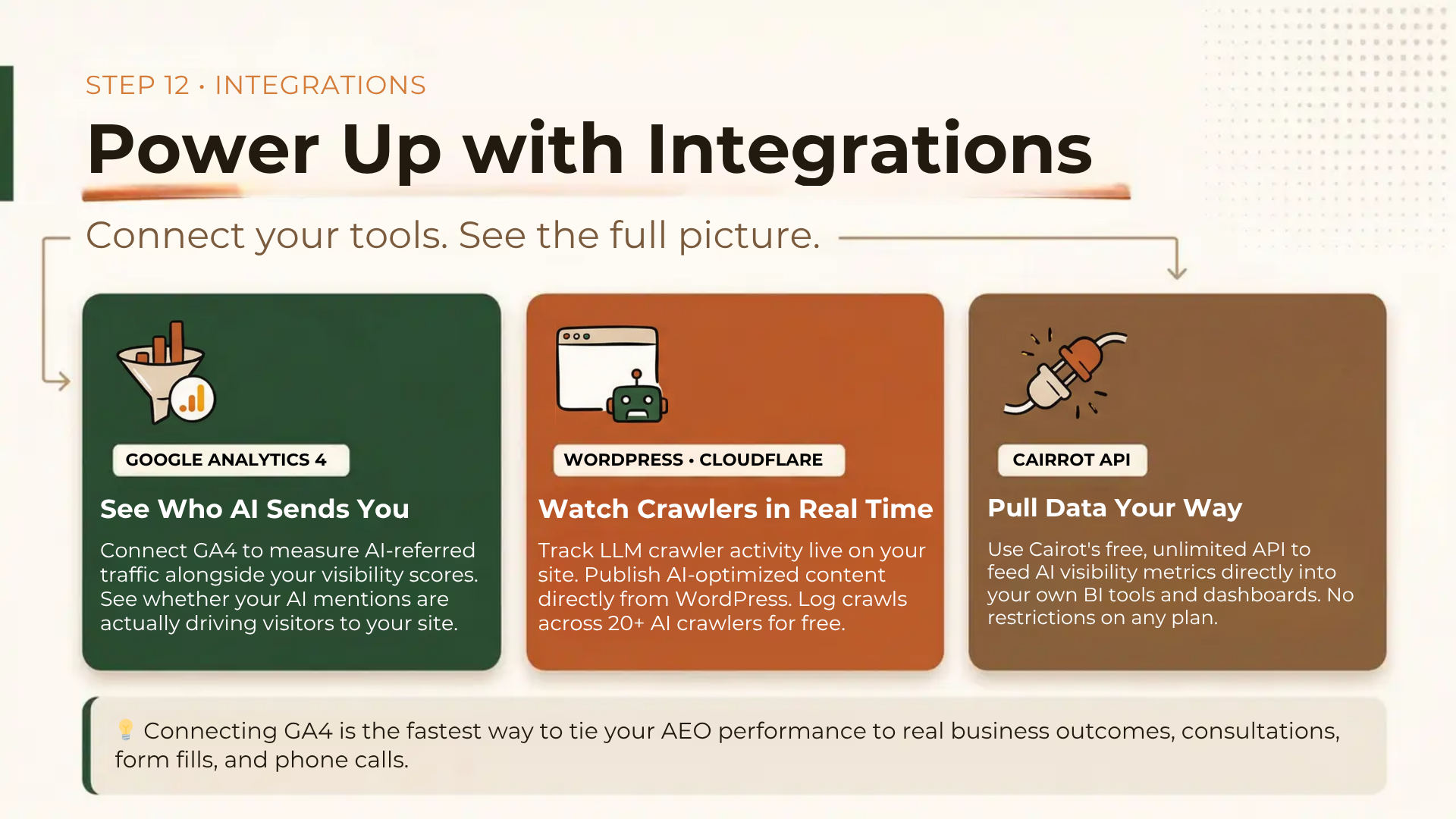
After your initial setup, Cairrot offers several integrations that enhance the depth and accuracy of your tracking data:
Connecting GA4 is particularly valuable for any business. You can directly measure whether AI visibility is translating into consultations, form fills, and phone calls which ties AEO performance to the metrics you actually care about.
GA4 and Google Search Console Integration
Connect your Google Analytics 4 account so Cairrot can display AI-referred traffic data alongside your visibility metrics. This lets you see not just where you’re mentioned, but whether those mentions are driving actual visitors to your site.
WordPress or Cloudflare Integration
Connect WordPress so Cairrot can track LLM crawler activity on your site in real time and publish optimized content directly. The WordPress plugin also enables free LLM crawl logging across 20+ AI crawlers.
API Connection
Use Cairrot’s API to pull AI visibility metrics into your own business intelligence or reporting tools. The API is free and unlimited on all plans.
Additional Integrations for Automated Workflows
List of current native integrations (looker studio, databox)
MCP integration – connect your Claude/ChatGPT/Copilot workspace to Cairrot’s data so you can pull those reports without even logging in to the dashboard.
Mention of requesting more integrations.
What to Do After Your First AI Visibility Report
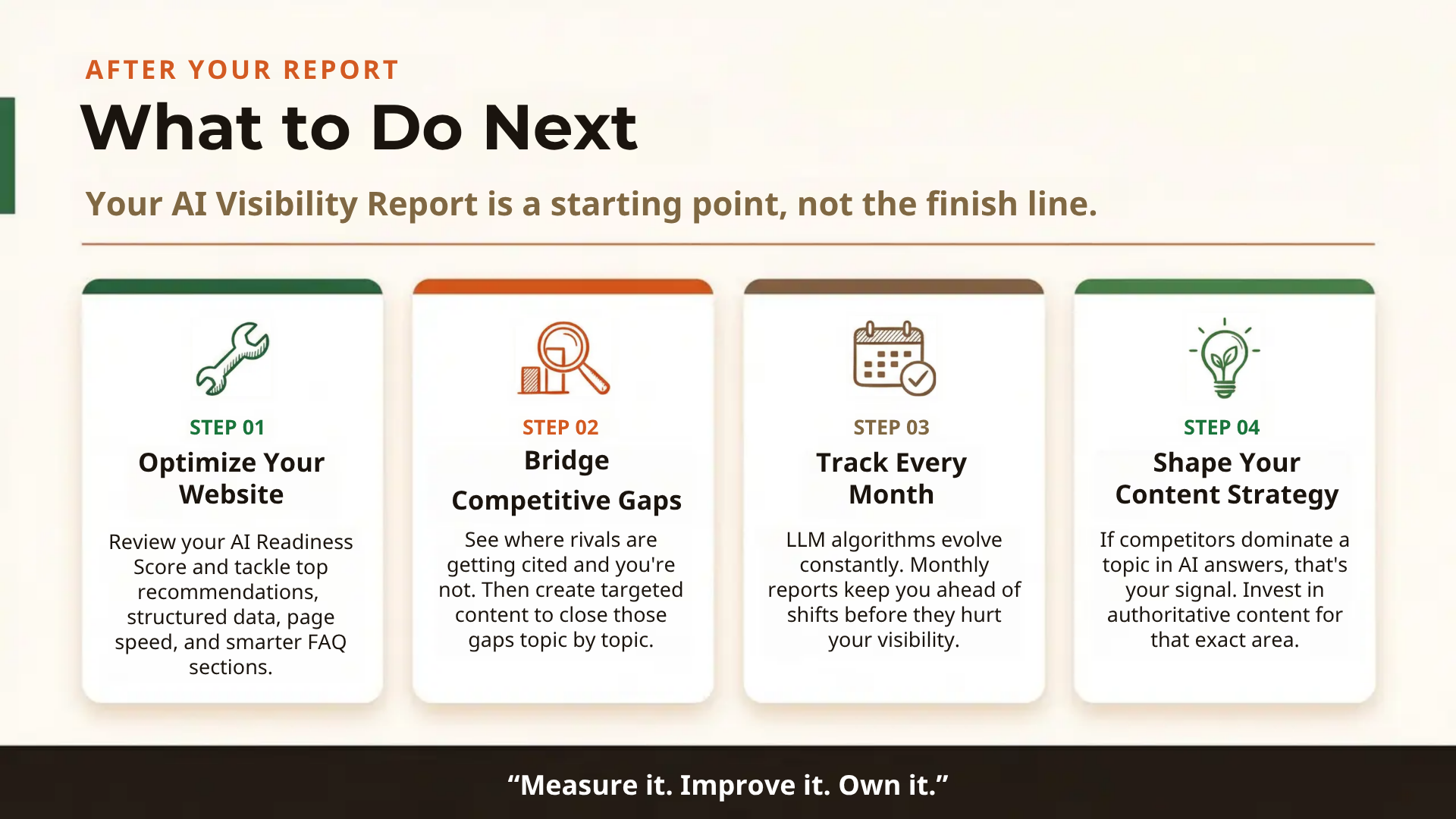
Your AI Visibility Report is a starting point, not a finish line. Here’s what to do with your results:
Optimize Your Website
Review your AI Readiness Score and address the highest-priority optimization recommendations first. These might include adding structured data, improving page speed, or restructuring your FAQ sections.
Analyze Competitive Gaps
Compare your visibility against competitors topic by topic. Identify gaps where competitors are getting mentioned and you’re not, then create or improve content targeting those areas.
Track Over Time
AEO is not a one-time fix. LLM algorithms evolve, and so does your competitive landscape. Set up recurring reports (monthly is a good cadence) to track progress and catch shifts early.
Inform Your Content Strategy
Use your visibility data to shape your content calendar. If LLMs consistently mention competitors for a specific topic, that’s a signal to invest in authoritative content for that practice area.
Set Up Your AEO Analytics Today
The shift to AI-powered search is happening now and it’s happening fast. Every day your business goes without AEO tracking is a day you’re blind to how AI tools are representing (or ignoring) your brand to prospective clients.
Cairrot makes it easy to get started. The free trial takes less than ten minutes, requires no credit card, and delivers your first LLM Visibility Report at no cost. You’ll see exactly where your firm stands across ChatGPT, Perplexity, Claude, Grok, Gemini, and DeepSeek, and you’ll know precisely what to do next.